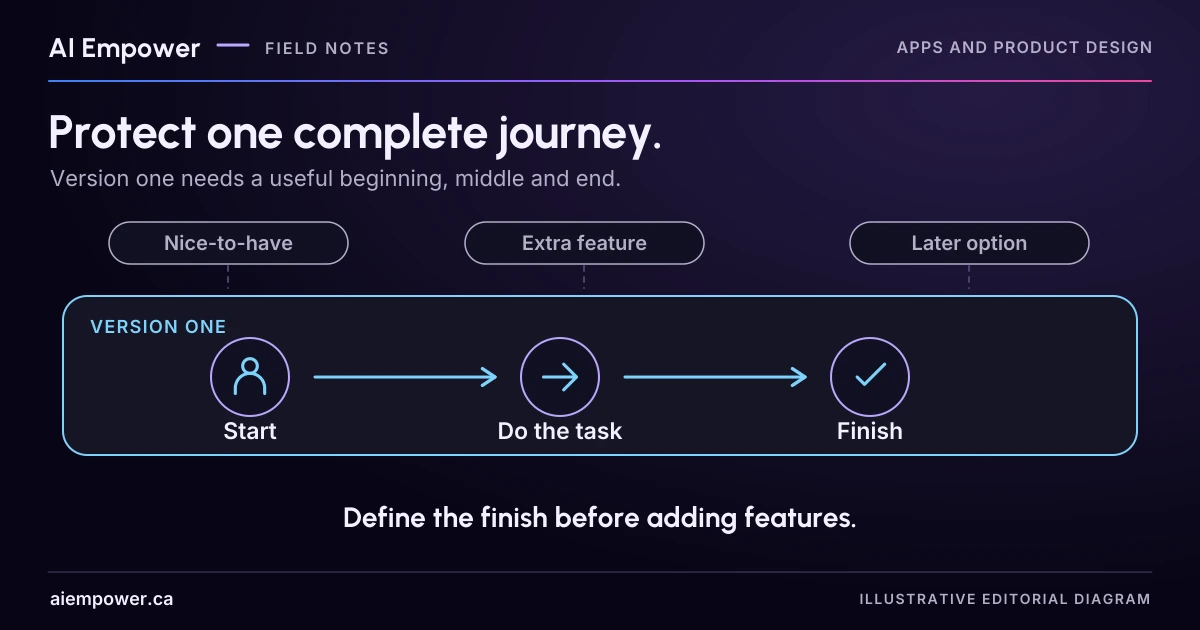
Choose one complete task for version one, retain necessary recovery and ownership, and park features that do not support that journey.
An app brief often grows faster than the underlying task becomes clear. A request tracker gains dashboards, notifications, AI summaries, calendar sync and custom reports before anyone agrees what should happen to the first request.
To define version one, start with one person trying to achieve one useful outcome. Follow that task through its necessary decisions, evidence and recovery. Then ask which features are needed for that journey to work and which can wait.
This is an original scoping exercise. The fictional service, roles and examples below are invented. They establish no development estimate, budget or promise that a particular platform supports the design.
State the journey in one sentence
A fictional community workspace wants staff to request equipment for an internal event. The proposed first journey is: “A staff member requests a display stand, and the equipment coordinator records a decision that the requester can understand.”
That sentence is more useful than “Build an equipment platform.” It names the people, the action and the outcome. It also leaves questions to settle: does a request reserve stock, who may approve it, what happens when equipment is unavailable and how does the requester learn the decision?
For this example, the owner decides that submitting a request does not reserve equipment. The coordinator checks the existing inventory process before approving. Version one must show that distinction clearly. An attractive “Success” screen must not imply that a stand is ready to collect.
Draw the complete task before selecting features
Write the stages across a page:
- Requester understands what can be requested.
- Requester supplies the equipment, date and necessary event context.
- System records the request or clearly reports uncertainty.
- Coordinator sees the request and its current state.
- Coordinator checks availability and records a decision.
- Requester can see the decision and any next step.
- Either person can handle a necessary correction without losing the record.
For each stage, identify the information, authority and completion evidence. “The button was clicked” is rarely the finish line. The request needs a durable record if the next person is expected to act on it.
Walk the task with the people who will do it. A coordinator might reveal that equipment is allocated through a separate system, or that another role must approve some events. Those are dependencies to resolve before the brief promises an automatic decision.
Put a release boundary around the necessary work
Now review the fictional feature list:
| Proposed feature | Version-one decision | Reason |
|---|---|---|
| Request form and recorded receipt | Include | Starts the agreed journey with a traceable request |
| Coordinator queue and decision record | Include | The request otherwise has no workable receiving side |
| Requester status view | Include or define an equally usable approved alternative | The requester needs the outcome |
| Clear permission boundary | Include as required by the chosen access model | Requesters must not gain unrelated records or decision powers |
| Error and uncertain-submission recovery | Include | A failed connection must not create a false confirmation |
| Calendar synchronisation | Park | Coordinator can use the existing availability process in this proposed scope |
| AI-generated request summary | Park | The short structured request already contains the facts needed |
| Trend dashboard and custom themes | Park | They do not complete the first request-to-decision journey |
“Park” should include a reason and a condition for reconsidering it. Calendar sync might become useful if the manual availability check proves burdensome and the authoritative system supports a suitable integration. That is something to investigate, not an excuse to promise it now.
Security, privacy and accessibility requirements do not become optional simply because a release is small. Establish what the chosen users, data and environment require. Scope can be reduced by removing a risky feature or limiting the trial; it should not depend on hiding necessary safeguards in a later phase.
Test the dependency behind the tempting shortcut
Suppose someone proposes replacing the coordinator queue with an email notification. Ask what happens after the notification arrives. Who claims the request? Where is the decision recorded? Can two people act on it? What happens if the notification fails?
Email may be a workable part of the design, but only if the complete ownership and decision path is defined. “We will email someone” is not yet a complete journey. Conversely, a complex dashboard is unnecessary if a simpler approved queue serves the same task reliably.
Use the same reasoning for an AI component. What uncertainty or effort does it address? What does the reviewer check? What happens when the answer is missing or wrong? If the first version works with a short form and explicit rules, keep that baseline visible during evaluation.
Write the smallest acceptance story
For the fictional request, prepare three cases before building:
Ordinary case: the requester asks for one display stand on an invented date. The record appears once, the coordinator records approval after the existing availability check, and the requester sees that decision with the next step.
Unavailable case: the coordinator declines because no stand is available. The requester sees a clear decision rather than a permanent “pending” status. The app does not invent an alternative item or date.
Uncertain-submission case: the connection fails after submission begins. The interface does not claim either confirmed success or definite failure without evidence. The requester has a defined way to check the existing request before attempting another.
Add a correction case if changes are part of the agreed first journey. Decide what can be edited, whether a changed date invalidates an earlier approval and who must review it. Leaving that relationship undefined can undermine the whole decision record.
Week 26 · interactive local candidate
Scope one complete journey
Fictional local practice v1. Nothing is sent, saved between visits, verified with a real business, approved for release or published. No network requests, analytics or persistent storage. Use invented, low-sensitivity entries only; do not enter passwords, payment details or private customer information.
A staff member requests a display stand, and the equipment coordinator records a decision that the requester can understand.
Submitting a request does not reserve equipment. The coordinator checks the existing inventory process before approval.
- Understand what can be requested
Planned coverage only; implementation unverified. - Supply equipment, date and event context
Planned coverage only; implementation unverified. - Record request or report uncertainty
Planned coverage only; implementation unverified. - Coordinator sees the current request
Planned coverage only; implementation unverified. - Check existing inventory and record decision
Planned coverage only; implementation unverified. - Requester sees decision and next step
Planned coverage only; implementation unverified. - Correct without losing the record or stale approval
Planned coverage only; implementation unverified.
Expected outcome to test
Ordinary: one display stand request appears once; the coordinator approves only after the existing availability check; the requester sees the decision and next step. Submission does not reserve equipment.
No request record, reservation or decision is actually created by this exercise.
Week 26: Scope one complete journey
Fictional local practice v1. Nothing is sent, saved between visits, verified with a real business, approved for release or published. No network requests, analytics or persistent storage. Use invented, low-sensitivity entries only; do not enter passwords, payment details or private customer information.
All observations and checks below are fictional or reader-reported; none independently verified.

Journey: A staff member requests a display stand, and the equipment coordinator records a decision that the requester can understand.
Roles: staff requester; equipment coordinator.
Start: request for a display stand at an internal event.
Finish: a recorded decision the requester can understand. Submission does not reserve stock.
Deliverable under discussion: Prototype learning: can users understand request and decision states?
Seven-stage map:
1. Understand what can be requested. Planned coverage only; no working implementation verified.
2. Supply equipment, date and event context. Planned coverage only; no working implementation verified.
3. Record request or report uncertainty. Planned coverage only; no working implementation verified.
4. Coordinator sees the current request. Planned coverage only; no working implementation verified.
5. Check existing inventory and record decision. Planned coverage only; no working implementation verified.
6. Requester sees decision and next step. Planned coverage only; no working implementation verified.
7. Correct without losing the record or stale approval. Planned coverage only; no working implementation verified.
Feature decisions:
Request form and recorded receipt: include
Reason: Starts the agreed journey with a traceable request.
Reconsider / requirement: Required for the agreed journey.
Coordinator queue and decision record: include
Reason: Provides a workable receiving side.
Reconsider / requirement: Required receiving, ownership and decision path.
Requester status view: include
Reason: The requester needs the decision and next step.
Reconsider / requirement: An equally usable approved alternative may serve this stage.
Clear permission boundary: include
Reason: Requesters must not gain unrelated records or decision powers.
Reconsider / requirement: Required safeguards depend on access model.
Error and uncertain-submission recovery: include
Reason: A failed connection must not create a false confirmation.
Reconsider / requirement: Required before a real release.
Necessary correction and review: include
Reason: A changed date must not silently retain an earlier approval.
Reconsider / requirement: Define who rechecks availability and records a revised decision.
Calendar synchronisation: park
Reason: Coordinator can use the existing availability process.
Reconsider / requirement: Revisit if manual checks are burdensome and the authoritative system supports suitable integration.
AI-generated request summary: park
Reason: The short structured request already supplies the necessary facts.
Reconsider / requirement: Revisit only if a specific uncertainty or effort and reviewer checks are demonstrated.
Trend dashboard: park
Reason: Does not complete the first request-to-decision journey.
Reconsider / requirement: Revisit after a concrete operational reporting task is agreed.
Custom themes: park
Reason: Does not complete the first request-to-decision journey.
Reconsider / requirement: Revisit after the complete first journey is supported.
Receiving/status/correction definitions:
owner: Equipment coordinator
record: [undefined]
duplicate: [undefined]
failure: [undefined]
requester: [undefined]
correction: [undefined]
External dependency: the coordinator checks the existing inventory process before approving; no automatic availability check or calendar integration is promised.
Acceptance stories:
Ordinary: one display stand request appears once; the coordinator approves only after the existing availability check; the requester sees the decision and next step. Submission does not reserve equipment.
Unavailable: the coordinator declines when no stand is available. Show the decision; do not leave it permanently pending or invent an alternative item/date.
Uncertain submission: claim neither confirmed success nor definite failure without evidence. Provide a way to check the existing request before trying again.
Correction: specify editable fields, changed-date invalidation and review owner.
Selected walkthrough: ordinary
Ordinary: one display stand request appears once; the coordinator approves only after the existing availability check; the requester sees the decision and next step. Submission does not reserve equipment.
Reader notes (unverified): [not recorded for current choices]
Warnings:
• Correction rule: define date changes, stale approval and who rechecks availability.
• Security, privacy and accessibility requirements still need implementation review. A scope map is not release evidence, an estimate or a platform capability claim.
No estimate, budget, timeline, persistence, access-control implementation, notification delivery, platform capability or release readiness is established.
Use the text-only exercise
The complete unchanged manuscript remains readable if the controls are unavailable.
Return to Write the smallest acceptance storySeparate the prototype question from release readiness
A prototype may only need to test whether users understand the request and decision states. GOV.UK's alpha guidance recommends focusing prototypes on risky assumptions rather than building the entire wider journey. A released service has a different obligation: the selected journey and its necessary operational support must actually work.
Keep those two deliverables distinct in the brief. A clickable screen can answer a design question without demonstrating persistence, access control or a working notification. Label simulations and record the implementation evidence still needed.
Your finished one-page scope should name the user roles, starting event, final outcome, included stages, external dependencies, necessary recovery, parked requests and acceptance cases. Ask each stakeholder to explain what version one will let someone finish. Resolve different answers before discussing a fixed estimate.
The journey map and feature decisions are ready for a manual workshop. If the scope activity is available on this page, choose “Include”, “Define an alternative” or “Park”, then inspect the dependency warnings and acceptance stories. These are planning decisions, not implementation evidence or an estimate. Bring your first app journey to AI Empower, with the dependency or decision that is still hardest to explain.
Sources & review
Primary sources checked on . The checklists and planning examples are AI-assisted editorial guidance, not source quotations or reported client results.
This AI-assisted guide uses fictional examples for practice. It does not report client results or establish that a live system will behave the same way.
Originally published: .