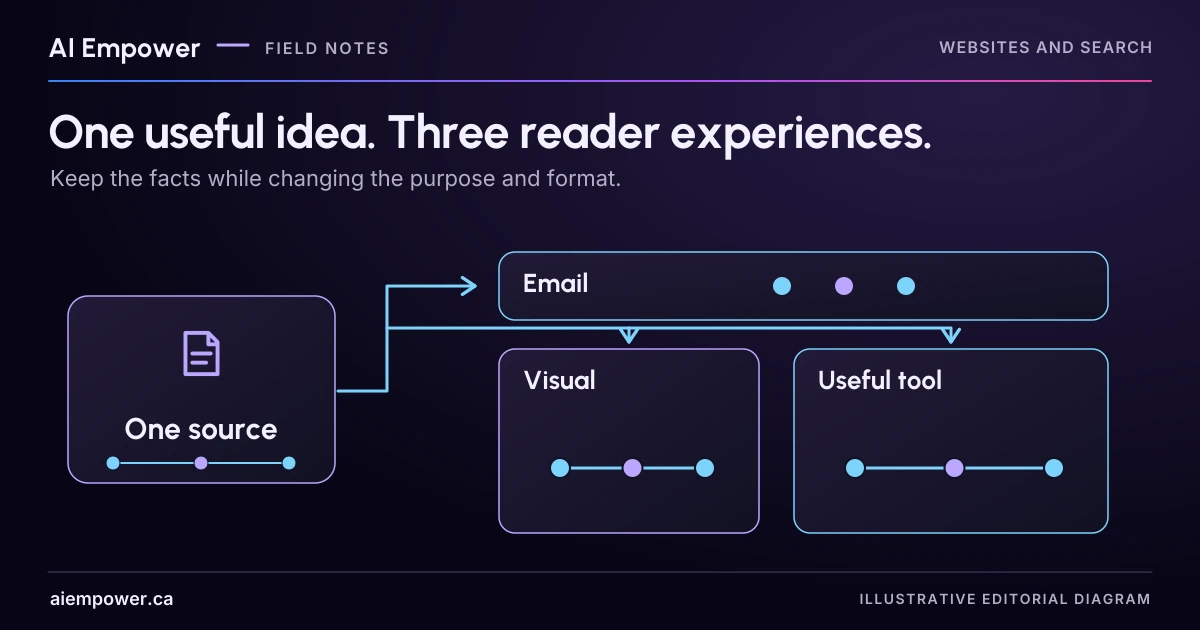
Adapt one supported idea into an email, a visual and an on-site exercise with distinct reader tasks and consistent facts.
Copying the same paragraph into an email, a social graphic and a website tool gives you three placements, but often only one reading experience. Start by deciding what the person should do in each setting.
A short email can help someone recognise a problem. A visual can make a distinction easy to inspect. An on-site exercise can help them apply the idea to their own task. The facts stay stable while the reader’s work changes.
Use the fictional source note below to build three distinct briefs. Nothing in this exercise is a published campaign or a claim about audience reach.
Establish a small set of approved facts
The source article concerns a fictional appointment-request service. Its approved facts are:
- A website submission can be stored before staff accept the requested time.
- In this fictional service, acceptance requires an authorised staff decision and a reserved slot.
- The customer message should distinguish receipt from a confirmed appointment.
- A change request may need a separate decision; its treatment depends on the business’s actual rules.
The article includes examples and a state-message worksheet. It contains no measured conversion increase or customer testimonial. Keep that absence visible when adapting it.
Create a shared fact record with the source article version, the exact supported idea, its limits and any attribution. If a channel needs a stronger claim than the source supports, change the angle or gather evidence. Do not invent a statistic to make a graphic more attractive.
Experience one: a short email that prompts inspection
Audience: Business owners whose teams review appointment requests manually.
Reader task: Look at the first message their form displays and decide whether it promises more than the system knows.
Possible subject: “Does your form confirm a request or an appointment?”
Draft body:
“After someone requests a time on your website, what does the next screen say? If staff still need to accept the appointment, ‘You’re booked’ may give the wrong impression. Compare the message with the evidence your system has at that moment. The article’s status worksheet helps separate receipt, review and acceptance.”
Next step: Link to the relevant article section once that article has a real, verified destination.
The email creates one inspection task. It does not try to contain every state, reproduce the whole article or promise a commercial result. Sending and mailing-list use remain separate actions governed by the business’s normal process.
Experience two: a visual that makes two states legible
Audience: Someone scrolling past a small visual who may not open a long explanation immediately.
Reader task: Notice the difference between a stored request and an accepted appointment.
Visual brief: Two plain cards connected by a labelled review step. Card one says “Request received” with “Stored request and reference verified.” Card two says “Appointment confirmed” with “Authorised acceptance and reserved slot verified.” Below them: “Example workflow. Check your own acceptance rule.”
Accompanying text: “Which evidence does your confirmation message rely on?”
Keep the essential wording in the post text as well as the image, and provide a suitable text alternative. Use colour as support, not as the only distinction. Check current platform dimensions when producing the asset; this brief does not lock the design to an unverified export size.
The visual is an explanation of two states. It should not display invented analytics, fake customer screenshots or a “before versus after” claim suggesting a tested outcome.
Experience three: an on-site task with an inspectable output
Audience: An owner ready to examine their own interface.
Reader task: Map three existing messages to the evidence that makes each true.
Exercise brief: Provide three rows labelled receipt, pending review and accepted appointment. Ask the reader to enter non-sensitive sample wording, the evidence needed and the next customer action. Include “unknown” for any evidence the owner has not verified.
Worked example: Wording “You’re booked”; available evidence “request stored only”; finding “acceptance wording unsupported”; proposed revision “Request received. Appointment awaiting review.”
Output: A copyable message-review record with unresolved questions for the implementer. It should not produce an accessibility score or declare a live booking system safe. A text worksheet is sufficient before software exists.
This format gives the reader a useful piece of work to take away. The article supplies context; the exercise helps apply it.
Review all three against the source
Read the email, visual and exercise side by side. Have quantities, conditions or commitments changed? Does any headline imply the source is about instant booking when it describes staff review? Did an illustrative example become a purported customer result?
Google’s people-first content guidance asks whether content gives people useful, satisfying help. Here, the practical editorial question is whether each adaptation adds a distinct way to understand or use the supported idea. Repetition alone does not supply that benefit.
Keep a small distribution record: source version, adaptation, owner, verified destination and next review trigger. When the underlying service rule changes, update the dependent formats instead of allowing three contradictory explanations to circulate.
Your finished output is three briefs and one shared fact record. Produce only the formats your audience can use and your team can maintain.
Discuss content and useful website experiences with AI Empower.
READER WORKBENCH / WEEK 47
One fact record, three reader jobs
Build email, visual and exercise briefs around a shared source. Human comparison notes support each attestation. No draft is sent, asset generated or destination verified.
Fictional local exercise. No live AI, backend, business verification, analytics, accounts or paid services. Working state is kept in page memory; deliberate copies, prints and browser/device-managed data are outside this tool’s control. This is not a privacy guarantee, release approval, measured outcome or accessibility certification. Enter fictional, non-sensitive examples only.
Review pending · current working preview
Three briefs with unresolved checks
- EMAIL reader task: Inspect the first form message
- email title: Does your form confirm a request or an appointment?
- email brief: Compare what the message promises with the evidence available at that moment.
- email destination: not supplied; publication/link review remains open
- VISUAL reader task: Distinguish receipt from confirmation
- visual title: Two labelled cards
- visual brief: Request received: stored request verified. Appointment confirmed: authorised acceptance and reserved slot verified. Example workflow; check your own rule.
- visual destination: not supplied; publication/link review remains open
- EXERCISE reader task: Map receipt, review and accepted wording to evidence
- exercise title: Three-row evidence worksheet
- exercise brief: For each row record sample wording, evidence, next action and unknowns. Output: a review record with unresolved questions.
- exercise destination: not supplied; publication/link review remains open
- Visual text equivalent: Two states separated by staff review: request received versus appointment confirmed, which needs authorised acceptance and a reserved slot. Example workflow.
- Destinations are optional planning notes and remain unverified even when filled. No link, mailing list, publication, dimensions, semantic accuracy or audience outcome is verified.
Unresolved warnings
- Unresolved: email — fictional owner
- Unresolved: email — source comparison notes
- email: source-fidelity attestation is pending.
- Unresolved: visual — fictional owner
- Unresolved: visual — source comparison notes
- visual: source-fidelity attestation is pending.
- Unresolved: exercise — fictional owner
- Unresolved: exercise — source comparison notes
- exercise: source-fidelity attestation is pending.
Superseded evidence snapshots retained: 0. These are exported as historical records, never counted as current passes.
WEEK 47 — One fact record, three reader jobs
Fictional local exercise. No live AI, backend, business verification, analytics, accounts or paid services. Working state is kept in page memory; deliberate copies, prints and browser/device-managed data are outside this tool’s control. This is not a privacy guarantee, release approval, measured outcome or accessibility certification.
Review pending: the current input preview has not been reviewed
Three briefs with unresolved checks
EMAIL reader task: Inspect the first form message
email title: Does your form confirm a request or an appointment?
email brief: Compare what the message promises with the evidence available at that moment.
email destination: not supplied; publication/link review remains open
VISUAL reader task: Distinguish receipt from confirmation
visual title: Two labelled cards
visual brief: Request received: stored request verified. Appointment confirmed: authorised acceptance and reserved slot verified. Example workflow; check your own rule.
visual destination: not supplied; publication/link review remains open
EXERCISE reader task: Map receipt, review and accepted wording to evidence
exercise title: Three-row evidence worksheet
exercise brief: For each row record sample wording, evidence, next action and unknowns. Output: a review record with unresolved questions.
exercise destination: not supplied; publication/link review remains open
Visual text equivalent: Two states separated by staff review: request received versus appointment confirmed, which needs authorised acceptance and a reserved slot. Example workflow.
Destinations are optional planning notes and remain unverified even when filled. No link, mailing list, publication, dimensions, semantic accuracy or audience outcome is verified.
UNRESOLVED WARNINGS
Unresolved: email — fictional owner
Unresolved: email — source comparison notes
email: source-fidelity attestation is pending.
Unresolved: visual — fictional owner
Unresolved: visual — source comparison notes
visual: source-fidelity attestation is pending.
Unresolved: exercise — fictional owner
Unresolved: exercise — source comparison notes
exercise: source-fidelity attestation is pending.
EXACT CURRENT INPUTS
{
  "sourceVersion": "Appointment article R1",
  "facts": "Source R1: A submitted request can be stored before staff accept a time. In this fictional service, confirmation requires authorised staff acceptance AND a reserved slot. Receipt is not appointment confirmation. Change requests need their own rule. No measured conversion result or testimonial is available.",
  "trigger": "Any acceptance-rule or source-version change",
  "emailAudience": "Owners reviewing requests manually",
  "emailTask": "Inspect the first form message",
  "emailTitle": "Does your form confirm a request or an appointment?",
  "emailBrief": "Compare what the message promises with the evidence available at that moment.",
  "emailOwner": "",
  "emailDestination": "",
  "emailEvidence": "",
  "emailChecked": "no",
  "visualAudience": "Readers scanning a simple two-state comparison",
  "visualTask": "Distinguish receipt from confirmation",
  "visualTitle": "Two labelled cards",
  "visualBrief": "Request received: stored request verified. Appointment confirmed: authorised acceptance and reserved slot verified. Example workflow; check your own rule.",
  "visualOwner": "",
  "visualDestination": "",
  "visualEvidence": "",
  "visualChecked": "no",
  "exerciseAudience": "Owners examining three interface messages",
  "exerciseTask": "Map receipt, review and accepted wording to evidence",
  "exerciseTitle": "Three-row evidence worksheet",
  "exerciseBrief": "For each row record sample wording, evidence, next action and unknowns. Output: a review record with unresolved questions.",
  "exerciseOwner": "",
  "exerciseDestination": "",
  "exerciseEvidence": "",
  "exerciseChecked": "no",
  "alt": "Two states separated by staff review: request received versus appointment confirmed, which needs authorised acceptance and a reserved slot. Example workflow.",
  "distribution": "",
  "note": ""
}
HISTORICAL EVIDENCE SNAPSHOTS (not current; preserved failed and superseded attempts)
[]
External verification not performed: live sites, actual services, source refresh, production integration, real browser/mobile, screen readers, physical keyboard, actual clipboard permissions, printing/pagination.
Use the text-only exercise
The complete unchanged manuscript remains readable if the controls are unavailable.
Return to Review all three against the sourcePrimary sources checked 4 October 2026
Sources & review
Primary sources checked on . The checklists and planning examples are AI-assisted editorial guidance, not source quotations or reported client results.
This AI-assisted guide uses fictional examples for practice. It does not report client results or establish that a live system will behave the same way.
Originally published: .