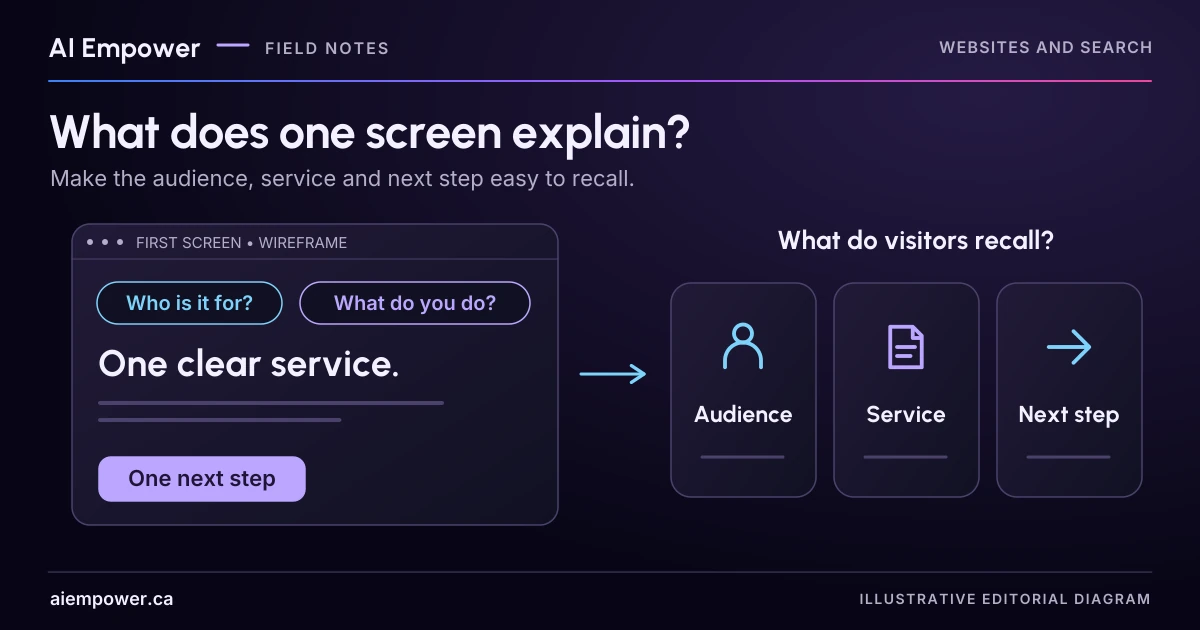
Ask a reader to recall the audience, service and next step, then use the missing facts to guide a small homepage revision.
A visitor should not have to interpret your slogan before they can decide whether your business is relevant. Start with a small question: after seeing the first screen, can someone explain what you offer, who it is for and what they can do next?
You can explore that question with a colleague, a screenshot and three prompts. This is a lightweight comprehension exercise. It will not predict conversion rates, establish what every visitor understands or certify accessibility. Its useful output is a list of specific misunderstandings to investigate.
Start with the facts the page must communicate
Write three private reference answers before showing the page to anyone. For a fictional business called Lantern Training, they might be:
- Service: live, instructor-led spreadsheet classes.
- Audience: adults learning spreadsheet basics for office work.
- Next step: view course formats and ask about the next suitable session.
These are invented business facts for this exercise. They make the test reviewable: the observer can compare what a reader says with what the page was intended to communicate. Without reference answers, an owner may decide that any positive response means the message worked.
Keep the facts narrow. If the business offers several services, choose the main entry task for this page. Trying to fit a full catalogue, company history and every audience into a single opening paragraph can obscure the reason someone arrived.
Compare two fictional openings
Here is an illustrative first-screen message:
Lantern Training. Unlock your potential with future-ready solutions. We empower growth through innovative learning experiences. Discover more.
That copy could describe many kinds of provider. A reader might guess that Lantern offers leadership coaching, software subscriptions or school tutoring. None of those guesses would tell you whether the actual spreadsheet service is clear.
A more specific draft could read:
Live spreadsheet classes for adults learning the basics. Practise everyday office tasks with an instructor, online or in a small classroom group. View course formats.
The second draft adds a delivery claim. It is suitable only if both formats are actually offered. In this fictional case, assume the course owner has confirmed them. On your own page, a clearer sentence is still wrong if it introduces an unsupported service or promise.
Notice what the button promises. “View course formats” should open format information. If it opens an enquiry form instead, either change the destination or use wording such as “Ask about a class.” Readers should not need to guess what the click does.
Run a short observation without coaching
Ask someone who has not helped write the page. Explain that you are checking the page, and that “I don't know” is a useful response. Obtain agreement before taking notes or recording anything; written anonymous observations are often sufficient for this small exercise.
Show one first-screen view briefly, then hide it. Five seconds is an optional starting condition, not a universal usability benchmark. Some readers need more time or a different presentation. Offer an untimed version and record which condition was used. Do not treat different reading needs as a failure by the participant.
Ask these questions in their own words:
- What do you think this business does?
- Who do you think it is for?
- What would you expect to happen if you used the main button?
Do not supply the missing noun, point to the intended answer or explain the brand first. Record the person's wording before discussing it. Then show the screen again without a time limit and ask what information helped or confused them.
W3C's cognitive accessibility guidance on clear words recommends familiar language and explaining uncommon terms. That supports reviewing the wording. It does not validate this particular recall exercise or turn its results into an accessibility score.
Week 2 · Fictional local practice
What stayed after one screen?
An observation record, reference comparison and revision hypothesis.
Use fictional, non-sensitive values only. Entries remain in page memory. No uploads, storage or network requests are made by this activity. Copy and print occur only when selected.
Agree to anonymous note-taking before observing another person. Let the reader choose their reading conditions. This is not a participant test or conversion score. Reference facts are revealed after recall.
Session context for the comparison record
Take your record with you
Includes all current choices, source limits and unanswered fields. Copy and print happen only when you choose.
First-screen recall record · local practice v1
Local fictional practice only. No real business facts, outcome, legal compliance, accessibility, search performance or live account state are validated. Entries stay in page memory; no network requests, analytics or persistence. Refresh clears work. Do not enter personal or confidential information.

Business: Lantern Training (fictional)
Version: A; condition: untimed; stage: ready
Exposure observation: Not started
Date: Not recorded; screen: Not recorded
Exposure order / familiarity: Not recorded
Exact opening is hidden until shown or reviewed.
What do you think this business does?
Observation: Not recorded
Who do you think it is for?
Observation: Not recorded
What would you expect to happen if you used the main button?
Observation: Not recorded
Reference facts not yet revealed.
Interpretation / revision hypothesis: Not recorded
No automatic meaning judgement or outcome score. Repeat with an unfamiliar reader and their preferred reading conditions.
Use the text-only exercise
The complete unchanged manuscript remains readable if the controls are unavailable.
Return to Run a short observation without coachingRead the observations as clues
A fictional note might say: “Understood that this is training, assumed it was for managers, expected the button to open a video.” That suggests three separate checks. The broad category was understood; the audience was mistaken; the next step was unclear.
Write a corresponding revision hypothesis: “Name adult spreadsheet beginners in the opening and label the button with the destination.” Do not write “the new headline will increase enquiries.” You have identified a message change to test, not measured a business outcome.
A participant who repeats the headline word for word may still misunderstand the service. Ask for an example of a task they think the business helps with. Conversely, someone may describe the right meaning using completely different words. Judge the meaning against the reference answers, rather than rewarding memorisation.
Keep a one-page comparison record
For each version, record the date, screen size, exact copy, exposure condition, intended facts, reader paraphrases, uncertainties and one proposed change. Keep observation and interpretation in different fields. “Reader said online software” is an observation. “The word platform suggests software” is your hypothesis.
If the same person sees both versions, note the order: their first exposure may teach them what the business does. Use another unfamiliar reader where possible. A handful of sessions can uncover problems worth fixing, but it cannot support a percentage claim about all customers.
After revising, check the complete route. A clear opening still leads to frustration if the next page omits course dates, uses different service names or has a broken contact path. Repeat the task at a smaller screen size and with the participant's preferred reading conditions.
You can complete the exercise with two printed cards or screenshots. If the recall activity is available on this page, choose untimed reading or the optional five-second exposure, record the reader’s words, then reveal the reference facts. Keep observations separate from your revision hypothesis; the activity does not judge meaning or produce a comprehension or conversion score.
Bring the reference answers, two copy versions and the actual reader observations when you ask AI Empower to review your homepage message.
Sources & review
Primary sources checked on . The checklists and planning examples are AI-assisted editorial guidance, not source quotations or reported client results.
This AI-assisted guide uses fictional examples for practice. It does not report client results or establish that a live system will behave the same way.
Originally published: .