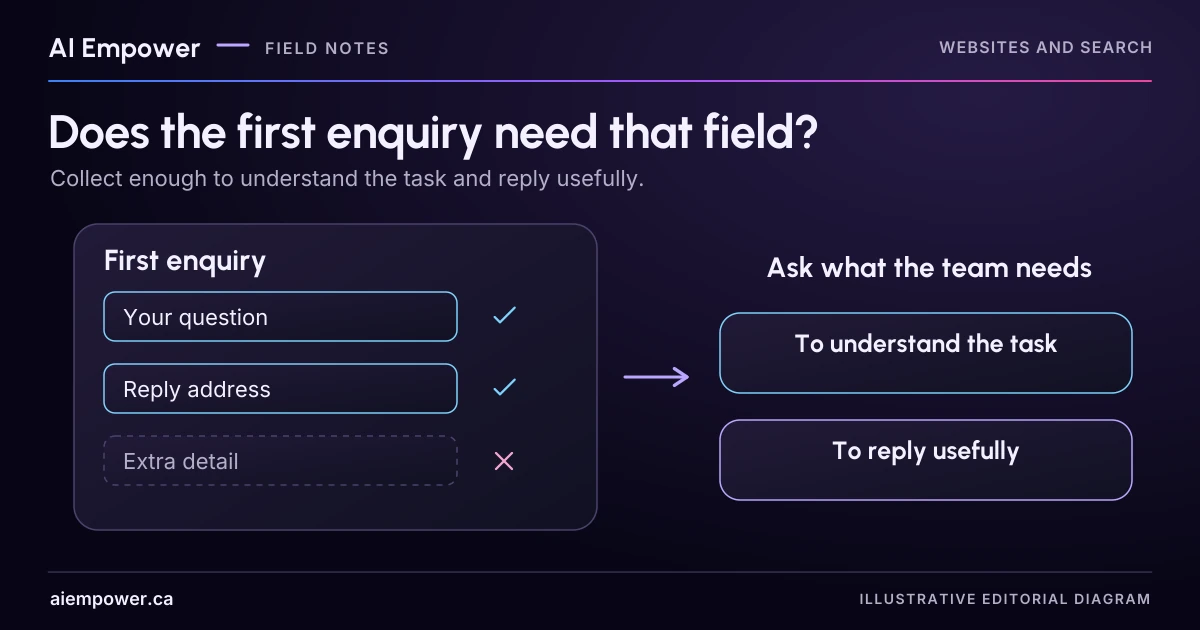
Keep fields that support the first useful reply, give them clear labels and rehearse how visitors correct an error.
Every field on a contact form should have a job. “It might be useful later” is a weak reason to require information before someone can ask an initial question.
Start with the action staff need to take after the form arrives. Then work backward to the minimum information that supports that action. This exercise designs a first enquiry, using invented business requirements and entries. It does not submit a message or determine compliance with privacy law.
Define the first response
A fictional business, Alder Web Care, wants to understand what a prospective customer needs help with and reply by email. It has not agreed to quote a price, visit an address or perform technical work at this stage.
For that limited purpose, the fictional operations owner requires a reply email address and a short description of the question. A topic choice can help routing, but staff can handle “Not sure.” A business name and public website address may be useful, yet the owner decides they are optional for an initial reply.
Those requirements are deliberately specific to this example. A different service might genuinely need another field. The decision should come from the work being done, rather than copying the longest form used by a competitor.
Review the existing field list
Suppose Alder's proposed form asks for a full name, company, email, telephone, postal address, annual revenue, website URL, account login, project budget and a message. Ask one question of every item: what part of the first reply becomes impossible without it?
| Field | First-enquiry decision | Reason in this fictional workflow |
|---|---|---|
| Required | Staff need the selected reply route | |
| Short question | Required | Staff need to know what help is being requested |
| Topic | Optional, with “Not sure” | Assists routing without blocking the question |
| Name | Optional | Helps address the person; not essential to this first reply |
| Business or public website | Optional | May provide context; no private page or login needed |
| Telephone and street address | Remove from this first form | No call or visit is part of the immediate step |
| Revenue, account login and private files | Exclude | Unnecessary and inappropriate for this initial enquiry |
| Budget | Defer | Scope is not yet established and staff can ask later if needed |
“Optional” is useful only if the form actually accepts a submission without the field. Test the server behaviour as well as the label. A page that says “optional” but rejects a blank entry creates contradictory instructions.
W3C's forms tutorial advises asking only for information needed to complete the process and providing clear controls and instructions. The decisions in this table remain the fictional business's choices; the guidance does not prescribe an identical form for every company.
Write labels before styling the form
Draft the short form in plain text:
- Email address, required. “We will use this to reply to your enquiry.”
- What would you like help with, required. “Briefly describe the question. Do not include passwords, payment details or private customer information.”
- Topic, optional. Choices: website content, technical issue, ongoing support, not sure.
- Name, optional.
- Public website address, optional. “A public link is enough. Do not send a login.”
- Button: “Send enquiry.”
These are fictional draft labels, not approved copy for AI Empower's actual form. Before using them, confirm the business's data handling, response process and any relevant privacy notice.
W3C's label guidance explains how labels identify controls. Have the implementer associate the visible label with its input. Placeholder text alone is a poor substitute for a persistent explanation: it can disappear as the person types.
Keep instructions beside the field they explain. A long policy paragraph at the bottom is unlikely to help someone decide what belongs in a message box while they are writing.
Make correction possible
Write error messages alongside the field design. For a missing email, use “Enter an email address so we can reply.” For a format error, explain the problem and give a non-personal example such as name@example.com. Do not suggest the system has verified that an address belongs to the person merely because it has an acceptable format.
For an empty question, ask for the short description the team needs. Preserve valid entries when returning errors so someone does not have to start again. W3C's form notification guidance describes helpful error summaries and field-specific correction information. Test the implemented behaviour with keyboard and assistive technology; well-written text alone does not establish accessibility.
Also write the success state. “Your enquiry was received” should require evidence that the receiving system accepted it. It should not appear merely because the button was pressed. Include only a response expectation the business can support. Keep uncertain submission separate from confirmed success to avoid encouraging duplicate enquiries.
Try three invented submissions
Use an isolated test form with no live recipient or a paper walkthrough. If the field-planning activity is available on this page, choose each field’s purpose and treatment, then rehearse the three fictional entries. Its preview is a blueprint, not a receiving form: it sends no message and does not verify server behaviour or privacy-law compliance.
First, submit the shortest valid enquiry: a fictional reply address and a short question. Confirm that every optional field can remain blank. Second, make one required field empty and check whether the person can locate and fix the error without losing the rest. Third, enter “Not sure” as the topic and ask whether staff can still route the request.
Have a staff reviewer explain how each field changes their first action. If nobody uses a field and it has no verified requirement, remove it from the proposal or record why it needs further investigation. If staff repeatedly lack an essential fact, improve that specific question rather than adding a general request for more documents.
The finished output is a field decision list, draft labels, error copy and a receipt rule. Before a real launch, confirm the approved data purpose, retention and access arrangements, the receiving owner, and the actual end-to-end submission behaviour.
Ask AI Empower to simplify your enquiry flow, starting with the first useful reply your team needs to make.
Week 18 · interactive local candidate
Give every field a job
Fictional local practice v1. Nothing is sent, saved between visits, verified with a real business, approved for release or published. No network requests, analytics or persistent storage. Use invented, low-sensitivity entries only; do not enter passwords, payment details or private customer information.
Alder Web Care’s first action is an email reply to a short question. Build a proposal around that job. The panel on the right is a blueprint, not a receiving form.
First-enquiry blueprint
We will use this to reply to your enquiry.
Briefly describe the question. Do not include passwords, payment details or private customer information.
Website content, technical issue, ongoing support, not sure.
Optional for an initial reply.
Optional context.
A public link is enough. Do not send a login.
Draft button wording: “Send enquiry.” No message can be sent here.
Week 18: Give every field a job
Fictional local practice v1. Nothing is sent, saved between visits, verified with a real business, approved for release or published. No network requests, analytics or persistent storage. Use invented, low-sensitivity entries only; do not enter passwords, payment details or private customer information.
All observations and checks below are fictional or reader-reported; none independently verified.

Purpose: Alder Web Care needs an email reply route and a short question; no quote, call, visit or technical work has been agreed.
Email: required
Label draft: Email address
Reason: Staff need the selected reply route.
Fixture guidance: We will use this to reply to your enquiry.

Short question: required
Label draft: What would you like help with
Reason: Staff need to know what help is being requested.
Fixture guidance: Briefly describe the question. Do not include passwords, payment details or private customer information.

Topic: optional
Label draft: Topic
Reason: Assists routing without blocking the question.
Fixture guidance: Website content, technical issue, ongoing support, not sure.

Name: optional
Label draft: Name
Reason: Helps address the person; not essential to this first reply.
Fixture guidance: Optional for an initial reply.

Business: optional
Label draft: Business name
Reason: May provide context for the first reply.
Fixture guidance: Optional context.

Public website: optional
Label draft: Public website address
Reason: May provide public context; no private page or login needed.
Fixture guidance: A public link is enough. Do not send a login.

Telephone: remove
Label draft: Telephone
Reason: No call is part of the immediate step.
Fixture guidance: No call is part of the immediate step.

Street address: remove
Label draft: Street address
Reason: No visit is part of the immediate step.
Fixture guidance: No visit is part of the immediate step.

Revenue: exclude
Label draft: Revenue
Reason: Unnecessary and inappropriate for this initial enquiry.
Fixture guidance: Unnecessary and inappropriate for this initial enquiry.

Account login: exclude
Label draft: Account login
Reason: Credentials are excluded; never enter them in this exercise.
Fixture guidance: Credentials are excluded; never enter them in this exercise.

Private files: exclude
Label draft: Private files
Reason: Unnecessary and inappropriate for this initial enquiry; no upload control.
Fixture guidance: Unnecessary and inappropriate for this initial enquiry; no upload control.

Budget: defer
Label draft: Project budget
Reason: Scope is not yet established; staff can ask later if needed.
Fixture guidance: Scope is not yet established; staff can ask later if needed.

Draft button: Send enquiry (blueprint only; no sender implemented).
Errors:
Enter an email address so we can reply.
Use an email address format such as name@example.com; format is not ownership or delivery verification.
Enter a short description of the help you need. Preserve valid entries.
Receipt rule: “Your enquiry was received” requires evidence of receiving-system acceptance. Keep unknown submission distinct; no response time is invented.

Selected rehearsal: shortest
Rehearsal not run for the current decisions.

Warnings:
• This matches the fictional field decisions only. A real form, server behaviour and data handling remain untested.
Before launch: confirm data purpose, retention, access, receiving owner, privacy notice, server acceptance of optional blanks and actual end-to-end submission behaviour.
Use the text-only exercise
The complete unchanged manuscript remains readable if the controls are unavailable.
Return to Try three invented submissionsSources & review
Primary sources checked on . The checklists and planning examples are AI-assisted editorial guidance, not source quotations or reported client results.
This AI-assisted guide uses fictional examples for practice. It does not report client results or establish that a live system will behave the same way.
Originally published: .