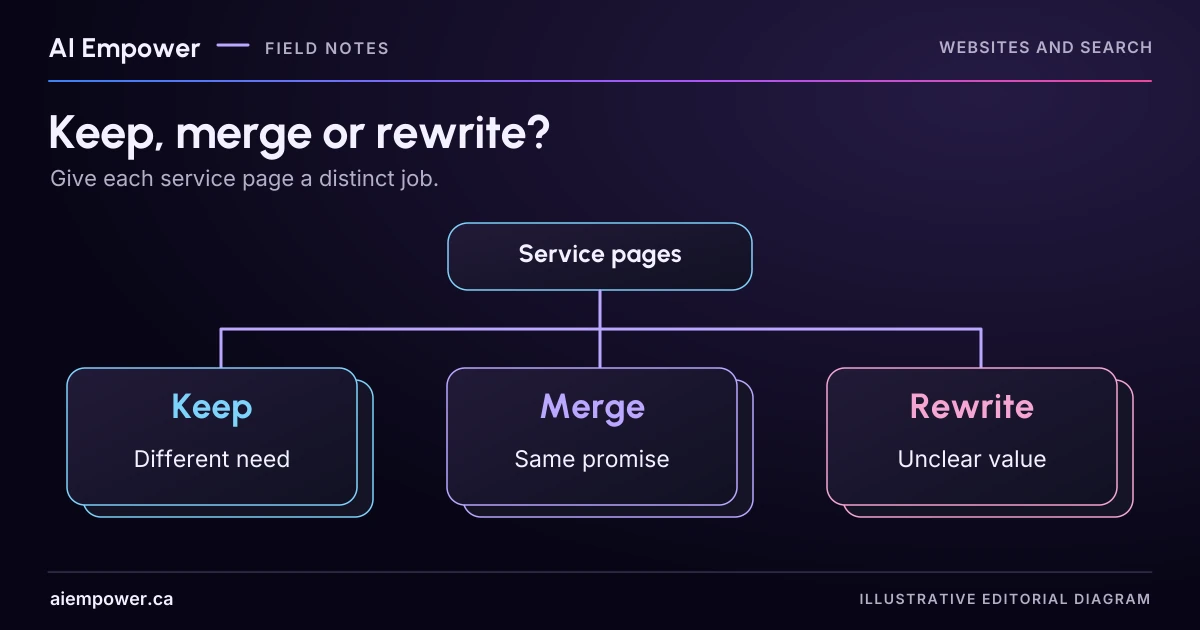
Compare reader tasks and evidence before keeping, merging or rewriting pages; preserve useful information before changing URLs.
Two pages can share several paragraphs and still serve different needs. Two pages can use different keywords and still answer the same question. Before merging service pages, compare the visitor's task and the evidence each page contributes.
A useful content audit produces a decision for each pair of pages, with a reason and a list of information to preserve. URL changes, redirects and deletions come later as separately reviewed implementation work. This exercise makes no prediction about rankings or traffic.
Begin with a small section of the site
Choose one service family rather than auditing the whole website at once. Read each page as a visitor, including its forms, linked documents and next steps. Record the current URL, title, intended audience, main question, service scope, distinctive evidence and action the page asks the reader to take.
Do not rely only on a title list or an AI-generated summary. A short condition near the bottom of one page may be the reason it needs to remain distinct. Check who maintains the page and whether another team depends on its URL in emails, printed materials or support instructions.
If you have authorised analytics or search data, use it as additional context and record the period and limitations. Without it, leave traffic and demand unknown. A page's usefulness cannot be inferred from a guessed search-volume number.
Walk through three fictional pages
Imagine a fictional provider, Northline Office Support, has these pages:
- “Remote Task-Board Setup” explains a one-off session for a team that already uses a supported board.
- “Online Workflow Setup” repeats the same audience, activities, conditions and enquiry route with different adjectives.
- “Task-Board Team Training” explains a facilitated practice session for staff who will use an already configured board.
The first two look like merger candidates because they describe the same reader task and scope. The third deserves a closer look: learning to use a board may involve different preparation, materials and expected outputs from configuring it. Similar vocabulary does not erase that distinction.
All details are invented. On a real site, ask the service owner to confirm whether these are genuinely different offers. An editor should not create or remove a service distinction merely to simplify navigation.
Give each decision a reason
Keep separate when the pages serve different tasks and have enough specific, useful content to support those tasks. For the fictional training page, that might include who attends, what learners practise, what equipment they need and what support follows. Rewrite the opening if the difference is currently hidden.
Merge when the same audience needs substantially the same answer and one maintained destination would serve them better. Decide which approved facts, examples and conditions survive. A merge is an editorial synthesis, not a command to paste both pages together into a longer page.
Rewrite when a page has a distinct purpose but its copy does not fulfil it. The fictional training page might currently contain only the setup description. Give it a proper learning-focused explanation, subject to owner confirmation, rather than deleting the page because the current text repeats itself.
Investigate is a necessary fourth state when the intended service boundary or ownership is unclear. Do not force a keep-or-merge answer while the underlying business decision remains unresolved.
Week 15 · Fictional local practice
Compare the reader tasks before the URLs
An editorial proposal with preserved facts, unresolved boundaries and separate migration tasks.
Use fictional, non-sensitive values only. Entries remain in page memory. No uploads, storage or network requests are made by this activity. Copy and print occur only when selected.
Northline Office Support is fictional. Compare the task and scope, including linked conditions and next steps. Shared keywords alone cannot decide whether two services should merge.
Remote Task-Board Setup
Reader task: Configure a board
A one-off session for a team that already uses a supported board.
Online Workflow Setup
Reader task: Configure a board
Repeats the same audience, activities, conditions and enquiry route with different adjectives.
Take your record with you
Includes all current choices, source limits and unanswered fields. Copy and print happen only when you choose.
Service-page overlap decision sheet · local practice v1
Local fictional practice only. No real business facts, outcome, legal compliance, accessibility, search performance or live account state are validated. Entries stay in page memory; no network requests, analytics or persistence. Refresh clears work. Do not enter personal or confidential information.

Northline Office Support (fictional)
Remote Task-Board Setup: Configure a board. A one-off session for a team that already uses a supported board.
Online Workflow Setup: Configure a board. Repeats the same audience, activities, conditions and enquiry route with different adjectives.
Owner boundary confirmed: Not recorded
Same reader task / scope: Not recorded
Distinct copy adequate: Not recorded
Policy conflict: Not recorded
Distinctive value: Not recorded
Unresolved conflict: Not recorded
Governing source: Not recorded
Owner role: Not recorded
Source preservation checklist: Account prerequisite; Staff scope review; Exclusion of ongoing support; Useful preparation checklist from the second page
Preserved facts: Not yet selected
Destination proposal: Not recorded
Decision not assembled since the latest edit.
Separate migration tasks, not authorisation:
Confirm old and proposed destination URLs
Review relevant inbound and internal links
Preserve needed anchors and downloads
Review a redirect decision separately
Check canonical and sitemap consistency
Keep an accessible authorised recovery copy
Verify real routes after an approved implementation
Test two tasks: configure a board; help staff practise on a current board. After approved implementation, test a legacy email route. No live or search-performance validation performed.
Use the text-only exercise
The complete unchanged manuscript remains readable if the controls are unavailable.
Return to Give each decision a reasonMake a preservation list before moving anything
For Northline's two setup pages, a proposed merge record could say:
Retain one setup page for teams with an existing supported board. Preserve the account prerequisite, staff scope review and exclusion of ongoing support. Incorporate the useful preparation checklist from the second page. Confirm the destination URL and check where both URLs are currently used. No URL change is approved by this record.
This makes the work reviewable. It prevents an apparently cleaner page from losing the very condition that helps a customer decide whether to enquire.
Give each fact a governing source. If one page promises ongoing support and the other excludes it, that is a policy conflict to resolve, not a sentence to average into “flexible support options.” Keep the disputed claim out of the proposed final copy until its owner decides.
Separate content decisions from search configuration
A canonical URL is the version a search engine treats as representative among duplicate or very similar pages. Google's canonical guidance describes redirects and canonical annotations as signals used in that process. A canonical annotation does not move a visitor from the old page or remove conflicting copy from it.
If an approved change permanently replaces a URL, Google's redirect guidance recommends an appropriate permanent redirect. The implementer must review the actual route behaviour, destination and other site signals. Do not send every retired service page to the homepage regardless of what the visitor was trying to do.
For a merger, create a migration checklist: old and new URLs, relevant inbound and internal links, preserved anchors or downloads, redirect decision, canonical and sitemap consistency, and verification steps. Keep an accessible archive or backup for authorised recovery. These are tasks to review, not changes this article performs.
Test the resulting explanation
Give a reviewer two fictional tasks: “I need a board configured” and “My staff need to practise using our current board.” Ask them to choose the relevant page, explain the difference and find the next step. If both pages still sound identical, improve their scope statements before adding more copy.
Then check a legacy route. What happens to someone arriving from an old email link? Can they still understand the service and reach the correct action? After an approved implementation, verify the real page and redirect; do not assume a completed spreadsheet means the change works.
Your audit output should fit on a short decision sheet: page pair, reader tasks, shared facts, unique value, unresolved conflicts, keep/merge/rewrite/investigate, owner and next action. If the overlap activity is available on this page, compare a supplied fictional page pair and use “Build overlap decision” to inspect the proposal and preservation warnings. The decision sheet works on paper; the activity changes no pages or redirects and predicts no rankings or traffic.
Discuss a clearer website structure with AI Empower, bringing the small page group and the distinctions your customers need to understand.
Sources & review
Primary sources checked on . The checklists and planning examples are AI-assisted editorial guidance, not source quotations or reported client results.
This AI-assisted guide uses fictional examples for practice. It does not report client results or establish that a live system will behave the same way.
Originally published: .