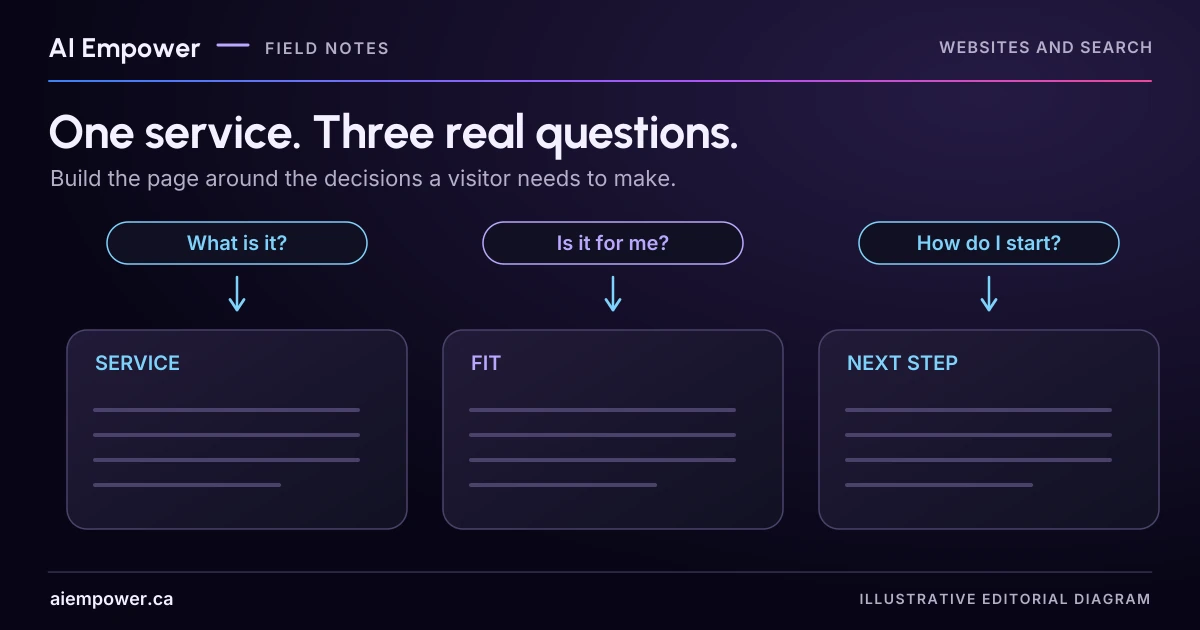
Map one service's fit, process and next-step questions to approved facts before drafting the page.
A service page becomes easier to plan when you start with the decisions a customer needs to make. Instead of collecting a long list of related keywords, choose three questions that genuinely belong to one service and answer them properly.
The result should be one useful page plan: each question has an answer, evidence, a sensible location and a next step. This exercise does not estimate search volume or promise a ranking. It helps you decide what the page needs to contain before polishing its title or design.
Follow one fictional service from question to action
Imagine a business called Harbour Setup offers remote setup sessions for small teams adopting a shared task board. All details in this example are invented. Its owner has confirmed these facts:
- The session covers one team's existing board and agreed workflow.
- The customer must already have an account in a supported tool.
- Staff review the tool and proposed task before confirming scope.
- The customer keeps control of sign-in; the initial enquiry needs no passwords or account exports.
- The service does not include ongoing support unless separately agreed.
Three questions fit the same buying decision: “Is this for a team like ours?”, “What happens in the session?” and “What do we need before we ask?” A separate question about troubleshooting an unrelated printer probably belongs elsewhere.
Question one establishes fit
The first section should help the reader recognise the situation the service addresses. A draft answer could say: “A remote setup session helps a small team organise an existing task board around an agreed way of working. Tell us which tool you use and what the board needs to help people do; staff will confirm whether the task fits.”
That wording preserves the scope check. It does not say every tool is supported, that the business can fix any workflow or that a consultation is already booked. Add the approved list of supported tools if one exists and somebody maintains it. If no list has been approved, record that as a source question instead of inventing brand names.
Useful evidence might include a labelled fictional board showing how work is assigned and reviewed. It should illustrate the process without masquerading as a client's system. A real example requires permission and enough explanation to make its context clear.
Question two explains the work
“Personalised, seamless implementation” tells a reader less than a short sequence. For the fictional service, outline the parts the owner has actually agreed to deliver: review the current board, agree one workflow, configure the relevant views, and walk through a sample task together.
Do not quietly expand that list with migration, training videos or unlimited revisions because they sound useful. Put unconfirmed requests in the editorial record for the service owner.
Place exclusions close to the related promise. If ongoing support is separate, explain that beside the handover description. A limitation buried far below a bold “complete setup” heading may leave the wrong overall impression.
Question three makes the next step manageable
The final question should reduce uncertainty about enquiring. Ask for the tool name, a short description of the task and the desired outcome. Say what happens next in language the team can honour: staff review the request and discuss scope. Do not add a response deadline without an approved commitment.
Explain that the first enquiry does not need passwords, private exports or a complete customer database. If a later stage needs an account connection or file, that deserves its own authorised process. A first-contact page should not encourage readers to send more information than the team can responsibly handle.
Build the page plan
Use one row for each question:
| Reader question | Answer required | Evidence to inspect | Page position | Next action |
|---|---|---|---|---|
| Is this for our team? | Task and scope boundaries | Owner-approved service brief | Opening and fit section | Check the relevant conditions |
| What happens? | Agreed session activities | Delivery checklist and labelled illustration | Process section | Review what is included |
| What should we prepare? | Necessary enquiry details | Intake requirements | Beside enquiry route | Send a brief task description |
Add a source owner, source date and unresolved facts to your working version. The table is an editorial aid, not content that must appear on the finished page.
Read the three answers together. Remove repeated claims and check that the same service name is used throughout. Where a fact answers two questions, keep one maintained explanation and point to it rather than creating conflicting versions.
Google's people-first content guidance asks whether a page offers a substantial explanation and helps its intended audience achieve their goal. This question-led plan is an original way to apply that principle. It is not a formula for search placement.
Week 5 · Fictional local practice
Give each question a useful home
A three-section outline retaining scope limits and source gaps.
Use fictional, non-sensitive values only. Entries remain in page memory. No uploads, storage or network requests are made by this activity. Copy and print occur only when selected.
Harbour Setup: supplied fictional service facts
- The session covers one team's existing board and agreed workflow.
- The customer must already have an account in a supported tool.
- Staff review the tool and proposed task before confirming scope.
- The customer keeps control of sign-in; the initial enquiry needs no passwords or account exports.
- The service does not include ongoing support unless separately agreed.
These are invented owner-confirmed facts for the article, not a verified business offer.
Take your record with you
Includes all current choices, source limits and unanswered fields. Copy and print happen only when you choose.
Service question-to-section outline · local practice v1
Local fictional practice only. No real business facts, outcome, legal compliance, accessibility, search performance or live account state are validated. Entries stay in page memory; no network requests, analytics or persistence. Refresh clears work. Do not enter personal or confidential information.

Harbour Setup (fictional). Supplied facts:
The session covers one team's existing board and agreed workflow.
The customer must already have an account in a supported tool.
Staff review the tool and proposed task before confirming scope.
The customer keeps control of sign-in; the initial enquiry needs no passwords or account exports.
The service does not include ongoing support unless separately agreed.

Is this for our team?
Answer: A remote setup session helps a small team organise an existing task board around an agreed way of working. Tell us which tool you use and what the board needs to help people do; staff will confirm whether the task fits.
Evidence: Owner-approved service brief
Position: Opening and fit section
Next action: Check the relevant conditions
Source owner: Not recorded; date: Not recorded
Unresolved: Approved supported-tool list not supplied. Do not invent brand names.

What happens?
Answer: Review the current board, agree one workflow, configure the relevant views, and walk through a sample task together. Ongoing support is separate unless agreed.
Evidence: Delivery checklist and labelled illustration
Position: Process section
Next action: Review what is included
Source owner: Not recorded; date: Not recorded
Unresolved: Do not add migration, training videos or unlimited revisions without owner confirmation.

What should we prepare?
Answer: Share the tool name, a short description of the task and the desired outcome. Staff review the request and discuss scope. No passwords or private exports are needed for the first enquiry.
Evidence: Intake requirements
Position: Beside enquiry route
Next action: Send a brief task description
Source owner: Not recorded; date: Not recorded
Unresolved: No response deadline has been supplied.

Outline assembled since last edit: no
Question 1: source owner not recorded.
Question 1: source date not recorded.
Question 1: unresolved source question retained.
Question 2: source owner not recorded.
Question 2: source date not recorded.
Question 2: unresolved source question retained.
Question 3: source owner not recorded.
Question 3: source date not recorded.
Question 3: unresolved source question retained.
Free text is not fact-checked. Inspect the supported-tool list, exclusions and real route before publication.
Use the text-only exercise
The complete unchanged manuscript remains readable if the controls are unavailable.
Return to Build the page planTest the plan before writing more
Give a colleague the fictional task “Our small team already has a board, but we do not know whether this service includes ongoing support.” Ask them to find the answer and show the next step. If they need you to explain the page, note what was missing or misplaced.
Repeat with a mismatch: the team has no account yet. The page should make the prerequisite visible without implying that buying an account guarantees the service will fit. Repeat once more with an unsupported tool. The next step should preserve the scope review.
For your business, start with anonymised questions staff have actually heard. Record where each came from without copying private conversations. Treat AI-suggested questions as ideas to investigate, not evidence of demand. Three well-supported questions are more useful than a dozen sections added because a generator proposed them.
You can complete the page plan manually. If the question-to-section mapper is available on this page, use “Build the page outline” to organise your answers, evidence and next steps. Keep source gaps and owner decisions visible; filling the fields does not validate the sources, wording or service scope.
Bring your service-page outline to AI Empower, including the three questions and the facts that still need an owner.
Sources & review
Primary sources checked on . The checklists and planning examples are AI-assisted editorial guidance, not source quotations or reported client results.
This AI-assisted guide uses fictional examples for practice. It does not report client results or establish that a live system will behave the same way.
Originally published: .