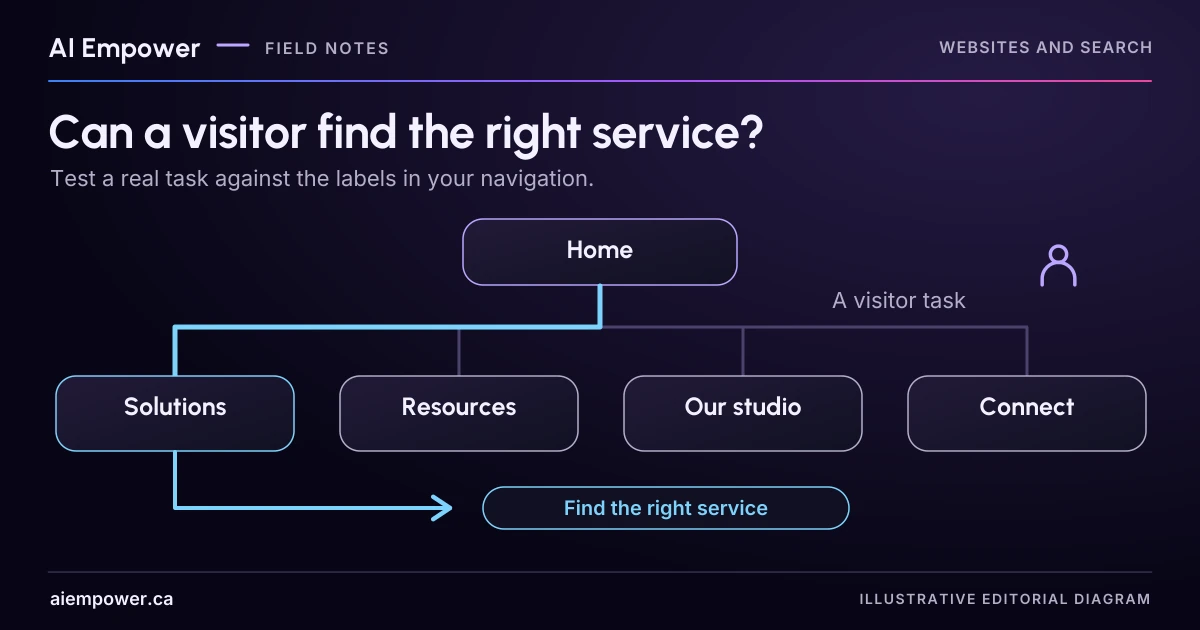
Use task cards and a text-only service tree to observe paths and confusing labels, then test the repaired menu in the real site.
Your team knows that “Solutions” contains repairs and “Resources” contains preparation instructions. A first-time visitor may have no reason to make those connections. Before redesigning the menu, give someone a real task and see where the labels lead them.
A text-only navigation test removes much of the visual presentation and focuses attention on grouping and wording. It can reveal a confusing path. It cannot prove that the finished menu works on a phone, with a keyboard or with assistive technology.
Use the fictional repair-studio menu below. The business and tasks are invented; no actual customer research is being reported.
Put the tree beside three task cards
The proposed menu has four top-level labels:
- Solutions: Bag repairs; Zip replacement; Custom alterations
- Resources: Preparing an item; Care notes
- Our studio: About; Opening hours
- Connect: Send an enquiry; Find us
Now prepare three task cards. Avoid copying the exact menu label into the task, because that can turn the exercise into word matching.
Task A: “The zip on your bag no longer closes. Find where you would learn whether the studio can help.”
Task B: “You plan to bring in an item. Find what you should do before handing it over.”
Task C: “You can visit after work on Thursday. Find the information you need to decide whether the studio will be open.”
The intended destinations are Zip replacement, Preparing an item and Opening hours. Record those before inviting anyone to try the menu. Also note whether more than one route would be reasonable. Bag repairs may legitimately link to zip information; a useful site need not require everyone to follow one perfect path.
Let the tester choose without coaching
Ask an adult colleague or consented tester unfamiliar with the structure to choose a top-level label, then a destination. Reveal only the relevant branch if you want to imitate the experience of navigating a hierarchy. They can go back, say they are unsure or stop.
Do not ask “Would you look under Resources?” after a pause. Record the pause and ask a neutral question such as “What are you looking for here?” Let them explain in their own words. You are checking the labels, not testing the person’s ability.
Use a simple observation record:
| Task | First label chosen | Full path | Expected destination reached? | Words or questions to review |
|---|---|---|---|---|
| A, B or C | Record actual choice | Include backtracking | Yes, no or unclear | Record the observation without a diagnosis |
Leave the record blank until the session. The exercise contains no assumed successful result.
Week 41 · interactive local candidate
Follow the labels, then inspect the path
Fictional local exercise. No live AI, business verification or external action. Use invented information only. Working state stays in page memory; reset or reload clears it. Copies and printouts are outside this page’s control.
Actual recorded paths
No finished practice attempt yet. No success is assumed.
Review pending. Review the current version after edits. Earlier conclusions are cleared after every edit.
Week 41: Follow the labels, then inspect the path
Fictional local exercise. No live AI, business verification or external action. Use invented information only. Working state stays in page memory; reset or reload clears it. Copies and printouts are outside this page’s control.
All observations and checks below are fictional or reader-reported; none independently verified.

FIXED FICTIONAL EXERCISE CONTEXT
{
  "tree": {
    "Solutions": [
      "Bag repairs",
      "Zip replacement",
      "Custom alterations"
    ],
    "Resources": [
      "Preparing an item",
      "Care notes"
    ],
    "Our studio": [
      "About",
      "Opening hours"
    ],
    "Connect": [
      "Send an enquiry",
      "Find us"
    ]
  },
  "currentTask": "The zip on your bag no longer closes. Find where you would learn whether the studio can help.",
  "scope": "Local practice only; expected destinations appear in the current review after finishing."
}

CURRENT INPUTS AND EXPLICIT HISTORY
{
  "task": "A",
  "version": "original",
  "branch": "",
  "destination": "",
  "path": [],
  "finished": "",
  "observation": "",
  "repair": "",
  "note": "",
  "history": []
}

Review pending. No current conclusion; earlier review invalidated by input changes.

LIMITATIONS AND WARNINGS
• No arbitrary navigation score or population-wide success rate is calculated.
• Text-only practice cannot prove mobile, keyboard, assistive-technology or finished-menu usability.
• Repeated attempts may benefit from seeing the answer. Record that limitation and use fresh tasks/testers for real research.
Use the text-only exercise
The complete unchanged manuscript remains readable if the controls are unavailable.
Return to Let the tester choose without coachingInterpret one wrong turn carefully
Suppose a hypothetical tester looks for preparation advice under “Our studio.” That might mean “Resources” is vague, or it might mean the tester understood preparation as part of visiting the premises. Ask what they expected to find and compare it with the page’s actual purpose.
A possible revision is to replace “Resources” with “Before your visit,” but that would no longer fit every kind of care note. Another option is to put preparation information near both the service and visiting routes. Decide from the content and reader task, not from a desire to make every label short.
Change one uncertain grouping or label, then use fresh tasks or another tester where practical. Someone who has already seen the answer may navigate correctly from memory. Record that limitation instead of treating their second attempt as independent evidence.
Choose a small repair
Separate findings into wording, grouping and missing information. A clearer menu cannot solve an absent opening-hours page. Moving a page cannot fix service descriptions that do not answer the question.
For each proposed repair, write the reader problem, observed evidence, intended change and a check to run afterward. Avoid assigning an arbitrary navigation score. Three observations can identify a concrete issue worth fixing, but they do not establish the percentage of all future visitors who will succeed.
W3C’s Menus Tutorial covers menu structure, labelling and operation. Use that guidance for implementation after the information structure is clearer. The text exercise does not establish conformance with accessibility requirements.
Primary sources checked 4 October 2026
Sources & review
Primary sources checked on . The checklists and planning examples are AI-assisted editorial guidance, not source quotations or reported client results.
This AI-assisted guide uses fictional examples for practice. It does not report client results or establish that a live system will behave the same way.
Originally published: .