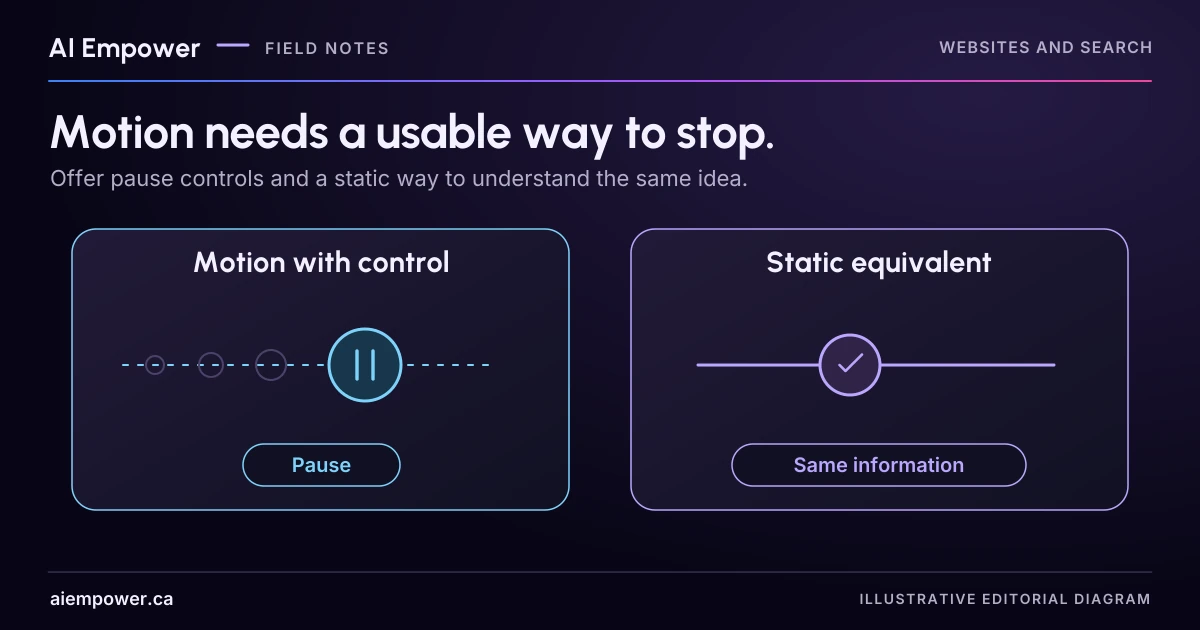
Design the static task first, then rehearse pause, reduced-motion and state-continuity behaviour without losing useful information.
An animated diagram moves a request through three stages. It looks polished, but the labels slide past while the reader is trying to understand them. Can they pause it, inspect the current stage and continue without losing their place?
Useful motion needs a way to remain useful when someone does not want the movement. Start with a static explanation and add animation only where it helps the task. Then test the controls and state changes directly.
The example here is a fictional request-flow diagram. You can follow the written stages and transition checklist on paper without animation. If the motion demonstration is available on this page, start with its paused, readable stages; use the manual stage controls or optional Play and Pause controls when motion is permitted. Reduced motion uses immediate manual changes. The checklist records your observations and is not a completed accessibility audit.
Design the static version first
The diagram has three labelled stages: request received, staff review and decision recorded. The ordinary text explanation describes what each stage means. A small marker can optionally move between them when the reader starts the demonstration.
The static version shows all three stages at once, with a text label identifying the selected stage. Buttons let the reader choose Previous stage or Next stage. The same information is available without watching movement or completing a game.
Write the intended state in plain terms: selected stage, whether playback is running and whether motion is reduced. These are separate properties. Turning off movement should not reset the selected stage or remove its explanation.
Specify what each control does
For this example, the initial state is paused at request received. “Play demonstration” starts the optional movement. “Pause demonstration” stops it at the current stage. “Next stage” advances the information without requiring playback. “Start again” resets only when deliberately activated.
If the reader requests reduced motion, show stage changes immediately or use another reviewed low-motion presentation. Keep the same stage labels and explanation. A global preference should not be ignored because a decorative animation is part of the brand.
These are proposed requirements. The implementer must test the actual controls, browser behaviour and preference handling before any page claims to support them.
Know which guidance applies
WCAG 2.2’s Pause, Stop, Hide guidance covers moving content that starts automatically, lasts more than five seconds and appears alongside other content, subject to its essential-activity exception. Auto-updating information has a related requirement without that five-second condition.
The separate Animation from Interactions criterion, at Level AAA, concerns disabling non-essential motion triggered by interaction. Keep the scope and conformance level attached when citing it. These two criteria are not interchangeable, and neither is a complete website accessibility checklist.
For this proposed diagram, an initially paused, user-started design is a practical choice. It does not eliminate the need to review other behaviour, including keyboard access, focus, text alternatives and any flashing risk. Do not add flashing effects to the test.
Rehearse six transitions
Before building, write the expected result for each transition. After implementation, add the observed result in a separate column.
- Load the page: The diagram is still, the initial stage is named and all controls have understandable labels.
- Start and pause: Playback stops when requested; the current stage and explanation remain available.
- Use only the keyboard: The reader can reach and operate controls, see focus and leave the component without a trap.
- Request reduced motion before loading: The page uses the planned alternative from the start.
- Change the preference while a stage is selected: The selection remains coherent and the movement responds according to the tested design.
- Navigate away and return within the page: The component does not unexpectedly restart or move focus. Any reset follows the documented behaviour.
Add a no-JavaScript check if the implementation relies on scripts. The static explanation should remain available, and controls that cannot work should not pretend to be functional.
READER WORKBENCH / WEEK 48
Keep every stage available
An optional, initially paused request-flow demonstration. All stages are readable without playback. Reduced motion uses manual immediate changes; the rehearsal is not an accessibility certification.
Fictional local exercise. No live AI, backend, business verification, analytics, accounts or paid services. Working state is kept in page memory; deliberate copies, prints and browser/device-managed data are outside this tool’s control. This is not a privacy guarantee, release approval, measured outcome or accessibility certification. Enter fictional, non-sensitive examples only.
Review pending · current working preview
Paused at Request received
- Selected meaning: The fictional request is stored. This does not confirm an appointment.
- Effective motion mode: reduced/static manual controls; system preference: unknown
- Initial static state: not run; expected: Paused at request received on load; all three meanings remain readable and controls are clearly labelled.
- Start and pause: not run; expected: Explicit Play starts optional playback when allowed; Pause stops at the selected stage without losing its meaning.
- Keyboard operation: not run; expected: Controls can be reached, operated and left by keyboard with visible focus and no trap; physical keyboard testing remains separate.
- Reduced preference on load: not run; expected: A reduce preference detected before loading uses immediate manual stages and never autoplays.
- Preference changes during use: not run; expected: Changing the preference pauses playback, preserves the selected stage and applies the new effective motion mode.
- Leave and return: not run; expected: Leaving pauses at the selected stage; returning does not restart playback or move focus unexpectedly.
- Playback advances every 3 seconds only when explicitly started. Preference changes, leaving, hiding and manual navigation pause playback. Return does not restart it.
Unresolved warnings
- Unresolved: Fictional issue owner
- Initial static state: not tested or missing observation.
- Start and pause: not tested or missing observation.
- Keyboard operation: not tested or missing observation.
- Reduced preference on load: not tested or missing observation.
- Preference changes during use: not tested or missing observation.
- Leave and return: not tested or missing observation.
- Written observations and local state are not proof of real-browser, physical-keyboard, assistive-technology or mobile behavior.
- System motion preference unavailable; use conservative static controls.
Superseded evidence snapshots retained: 0. These are exported as historical records, never counted as current passes.
WEEK 48 — Keep every stage available
Fictional local exercise. No live AI, backend, business verification, analytics, accounts or paid services. Working state is kept in page memory; deliberate copies, prints and browser/device-managed data are outside this tool’s control. This is not a privacy guarantee, release approval, measured outcome or accessibility certification.
Review pending: the current input preview has not been reviewed
Paused at Request received
Selected meaning: The fictional request is stored. This does not confirm an appointment.
Effective motion mode: reduced/static manual controls; system preference: unknown
Initial static state: not run; expected: Paused at request received on load; all three meanings remain readable and controls are clearly labelled.
Start and pause: not run; expected: Explicit Play starts optional playback when allowed; Pause stops at the selected stage without losing its meaning.
Keyboard operation: not run; expected: Controls can be reached, operated and left by keyboard with visible focus and no trap; physical keyboard testing remains separate.
Reduced preference on load: not run; expected: A reduce preference detected before loading uses immediate manual stages and never autoplays.
Preference changes during use: not run; expected: Changing the preference pauses playback, preserves the selected stage and applies the new effective motion mode.
Leave and return: not run; expected: Leaving pauses at the selected stage; returning does not restart playback or move focus unexpectedly.
Playback advances every 3 seconds only when explicitly started. Preference changes, leaving, hiding and manual navigation pause playback. Return does not restart it.
UNRESOLVED WARNINGS
Unresolved: Fictional issue owner
Initial static state: not tested or missing observation.
Start and pause: not tested or missing observation.
Keyboard operation: not tested or missing observation.
Reduced preference on load: not tested or missing observation.
Preference changes during use: not tested or missing observation.
Leave and return: not tested or missing observation.
Written observations and local state are not proof of real-browser, physical-keyboard, assistive-technology or mobile behavior.
System motion preference unavailable; use conservative static controls.
EXACT CURRENT INPUTS
{
  "version": "Local motion candidate M1",
  "inputMethod": "Unverified local rehearsal",
  "motion": "follow system",
  "owner": "",
  "motionExpected0": "Paused at request received on load; all three meanings remain readable and controls are clearly labelled.",
  "motionNote0": "",
  "motionResult0": "not run",
  "motionExpected1": "Explicit Play starts optional playback when allowed; Pause stops at the selected stage without losing its meaning.",
  "motionNote1": "",
  "motionResult1": "not run",
  "motionExpected2": "Controls can be reached, operated and left by keyboard with visible focus and no trap; physical keyboard testing remains separate.",
  "motionNote2": "",
  "motionResult2": "not run",
  "motionExpected3": "A reduce preference detected before loading uses immediate manual stages and never autoplays.",
  "motionNote3": "",
  "motionResult3": "not run",
  "motionExpected4": "Changing the preference pauses playback, preserves the selected stage and applies the new effective motion mode.",
  "motionNote4": "",
  "motionResult4": "not run",
  "motionExpected5": "Leaving pauses at the selected stage; returning does not restart playback or move focus unexpectedly.",
  "motionNote5": "",
  "motionResult5": "not run",
  "note": ""
}
CURRENT MOTION STATE AND LOCAL TRANSITION HISTORY
{
  "stage": 0,
  "running": false,
  "away": false,
  "system": "unknown",
  "trace": []
}
STATIC EQUIVALENT
Request received: The fictional request is stored. This does not confirm an appointment.
Staff review: An authorised person considers the request. No decision has yet been recorded.
Decision recorded: A decision exists. Its outcome must be read; recorded does not itself mean accepted.
HISTORICAL EVIDENCE SNAPSHOTS (not current; preserved failed and superseded attempts)
[]
External verification not performed: live sites, actual services, source refresh, production integration, real browser/mobile, screen readers, physical keyboard, actual clipboard permissions, printing/pagination.
Use the text-only exercise
The complete unchanged manuscript remains readable if the controls are unavailable.
Return to Rehearse six transitionsListen to the information, not every animation frame
A screen reader should have access to the meaningful state and controls. Announcing every visual movement can make a simple explanation exhausting. Ask the accessibility reviewer to check the amount and timing of feedback, including whether the selected stage is understandable when the marker itself is not seen.
Likewise, a pause icon alone can be ambiguous. Use a clear accessible name and a visible label where practical. Check what happens after activation: the label and action should remain consistent, and focus should stay in a sensible place.
Do not ask someone to tolerate uncomfortable motion for the sake of completing the test. Start with reduced motion or the static route if that is what they need.
Finish with a behaviour record
Your review sheet should name the component version, input method, motion preference, action, expected state, observed state and issue owner. Keep “not tested” separate from “works.” A written design decision is not evidence that a browser honoured it.
The finished deliverable is a static equivalent, a control specification and a short transition checklist. If movement adds no useful information, keep the static version. The visitor’s ability to understand and operate the experience is the reason for the component.
Build purposeful, usable website interactions with AI Empower.
Primary sources checked 4 October 2026
Sources & review
Primary sources checked on . The checklists and planning examples are AI-assisted editorial guidance, not source quotations or reported client results.
This AI-assisted guide uses fictional examples for practice. It does not report client results or establish that a live system will behave the same way.
Originally published: .