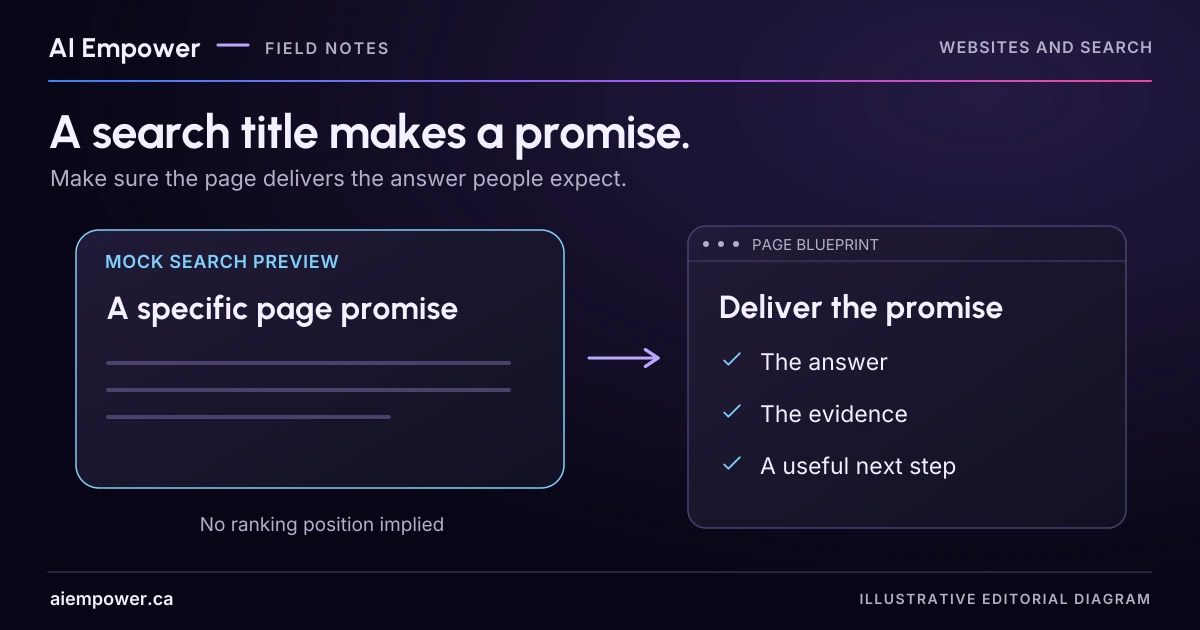
Match every title and description promise to visible page evidence; use a preview to inspect wording without assuming search engines will display it.
A search title makes a promise before the visitor reaches your page. If it says “pricing,” the reader expects useful pricing information. If it says “book online,” the reader expects a booking route. A carefully sized title still disappoints when the page cannot deliver what it suggests.
Start with the page's actual purpose, then write the title and description around that purpose. The exercise below creates an illustrative preview, not a screenshot of a real search result or a prediction of where a page will rank.
Open the page before opening the metadata field
Read the current page and write a one-sentence inventory: who it serves, what it explains and what the reader can do next. Include meaningful conditions. If the page asks people to discuss scope before a price is available, record that. If it only shows a prototype, keep that status in view.
For a fictional service page, the inventory might be: “Alder Web Care explains a review of homepage wording for small service businesses; visitors can send a public page link and a short question for a scope discussion. No fixed price or appointment availability is shown.”
That inventory limits the promises the title can make. “Instant Website Audit and Fixed Prices” would introduce two unsupported claims. Changing the title cannot create an instant audit or a price list on the page.
Build a truthful first draft
For the fictional page, consider:
Proposed title: Homepage Message Review for Small Businesses | Alder Web Care
Proposed description: Review who your homepage speaks to, what it explains and the next step it offers. Ask Alder Web Care about the scope of a homepage message review.
The wording identifies a specific service and a modest next action. It does not claim an automated score, immediate booking, guaranteed enquiry growth or a price the page does not supply. In a real business, each service claim still needs owner confirmation.
Now test a shorter alternative:
Proposed title: Homepage Message Review | Alder Web Care
This version keeps the service near the start and omits the audience qualifier. Whether that trade-off is helpful depends on the page and its readers. Do not declare a winner from character count alone.
Match each promise to an on-page answer
Make a small check beside the preview:
| Wording in preview | What the visitor should find |
|---|---|
| Homepage message review | A clear explanation of what is reviewed |
| Small businesses | An accurate audience description |
| Scope discussion | A working route and explanation of what happens next |
| Review audience and next step | Content describing those parts of the service |
If you cannot point to the relevant passage or action, revise the metadata or improve the page through the normal review process. Keep terminology consistent with the main heading. If the service has been renamed, check both the visible page and its metadata rather than changing only one.
Google's title-link guidance explains that its systems generate title links from multiple sources, including page titles and headings. Your supplied title is an input to that process, not an instruction Google must reproduce exactly. Google also recommends descriptive, concise titles and warns against repetitive keyword stuffing.
Use the preview to inspect trade-offs
Write the title and description together at a narrow width and again at a wider width. If the end is cut off, does the opening still describe the page accurately? A condition that reverses the meaning should not be left as an easily lost afterthought.
Do not add a fake rank number, search-engine logo or made-up review stars. Label the result “Illustrative snippet preview.” A future visual tool should keep that label visible when the preview is copied or exported.
There is no universal character count that guarantees display. Google says title links and snippets can be truncated to fit the device. A writing tool's length indicator can help notice verbosity, but it cannot promise what every person will see.
Likewise, Google says snippets primarily come from page content and may use a meta description when it provides a better summary. Different searches may produce different snippets. Read the whole page for misleading or obsolete wording instead of assuming a revised description controls every search appearance.
Week 20 · interactive local candidate
Preview the promise
Fictional local practice v1. Nothing is sent, saved between visits, verified with a real business, approved for release or published. No network requests, analytics or persistent storage. Use invented, low-sensitivity entries only; do not enter passwords, payment details or private customer information.
Fictional page inventory: Alder Web Care explains a review of homepage wording for small service businesses; visitors can send a public page link and a short question for a scope discussion. No fixed price or appointment availability is shown.
61 title characters · 146 description characters. Counts are writing aids only.
Illustrative snippet preview
https://example.com/homepage-message-review
Homepage Message Review for Small Businesses | Alder Web Care
Review who your homepage speaks to, what it explains and the next step it offers. Ask Alder Web Care about the scope of a homepage message review.
No search-engine logo, rank or review stars. This layout wraps the complete text; it does not emulate a search engine’s truncation rules.
Match the promises yourself
Editing the wording or page URL resets the matches to unreviewed. These choices record your reasoning; they do not automatically validate the text.
Week 20: Preview the promise
Fictional local practice v1. Nothing is sent, saved between visits, verified with a real business, approved for release or published. No network requests, analytics or persistent storage. Use invented, low-sensitivity entries only; do not enter passwords, payment details or private customer information.
All observations and checks below are fictional or reader-reported; none independently verified.

Illustrative snippet preview. Google may generate different titles and query-dependent snippets from page content; no display or rank is predicted.
Page URL (plain text, not visited): https://example.com/homepage-message-review
Page inventory: Alder Web Care explains a review of homepage wording for small service businesses; visitors can send a public page link and a short question for a scope discussion. No fixed price or appointment availability is shown.
Old fixture title: Homepage Message Review for Small Businesses | Alder Web Care
Old fixture description: Review who your homepage speaks to, what it explains and the next step it offers. Ask Alder Web Care about the scope of a homepage message review.
Proposed title: Homepage Message Review for Small Businesses | Alder Web Care
Proposed description: Review who your homepage speaks to, what it explains and the next step it offers. Ask Alder Web Care about the scope of a homepage message review.
Character counts (Unicode code points): title 61; description 146. Not pixel or ranking limits.
Illustrative width: narrow. Text is not cropped in the export.
Promise: Homepage message review
Reader match: unreviewed
Supplied content: A clear explanation of what is reviewed.
Promise: Small businesses
Reader match: unreviewed
Supplied content: An accurate audience description.
Promise: Scope discussion
Reader match: unreviewed
Supplied content: A route to send a public link and short question for discussion.
Promise: Review audience and next step
Reader match: unreviewed
Supplied content: Content describing those parts of the service.
Promise: Free offer / 60 seconds
Reader match: unreviewed
Supplied content: No free offer, delivery route or timing evidence is supplied.
Promise: Instant audit / fixed prices / booking
Reader match: unreviewed
Supplied content: None of these capabilities is supplied by the fictional inventory.
Unresolved facts: No fixed price or appointment availability shown.
Approval-owner role: [not named] (no approval recorded)
Warnings:
• At least one promise is unreviewed; absence or support must be decided by the reader.
• Approval-owner role has not been named. No approval is recorded by this tool.
• Illustrative snippet preview only. Character counts do not predict pixels, truncation, rankings or what Google displays.
Next check after an authorised implementation: compare actual rendered and source metadata; search appearance can differ. This exercise reads no page and changes no metadata.
Use the text-only exercise
The complete unchanged manuscript remains readable if the controls are unavailable.
Return to Use the preview to inspect trade-offsTry a promise that fails
Change the fictional title to “Free Homepage Review in 60 Seconds.” Then list the evidence you would need: a genuinely free offer with clear scope, an actual route delivering the promised review, and support for the timing claim. The page described above supplies none of those facts.
The useful rewrite removes the unsupported promise. It should not hide it with “may,” “up to” or an asterisk while the large title continues to imply the same outcome. If the business wants to develop a different offer, that is a product and evidence decision first.
Ask an unfamiliar reader what they expect after clicking each proposed title. Record their answer before showing the page. Then ask them to find the promised information. This is a comprehension check with a small sample, not a conversion experiment.
Save the reviewed version with its reasons
Your output should contain the page URL, page inventory, proposed title, proposed description, claim-to-content matches, unresolved facts and approval owner. Keep the old metadata so the change can be understood later. After an authorised implementation, check the page's actual rendered and source metadata; search results may take time to reflect changes and may still use different text.
The two text examples and matching table are a complete manual exercise. If the snippet activity is available on this page, edit the title and description, compare narrow and wide illustrative layouts, then match the promises to the supplied content yourself. The preview wraps the full text; it does not reproduce search-engine truncation rules. No search ranking or display outcome is claimed, and no page metadata is changed.
Discuss search-ready service content with AI Empower, bringing the page and the promise you want readers to understand.
Sources & review
Primary sources checked on . The checklists and planning examples are AI-assisted editorial guidance, not source quotations or reported client results.
This AI-assisted guide uses fictional examples for practice. It does not report client results or establish that a live system will behave the same way.
Originally published: .