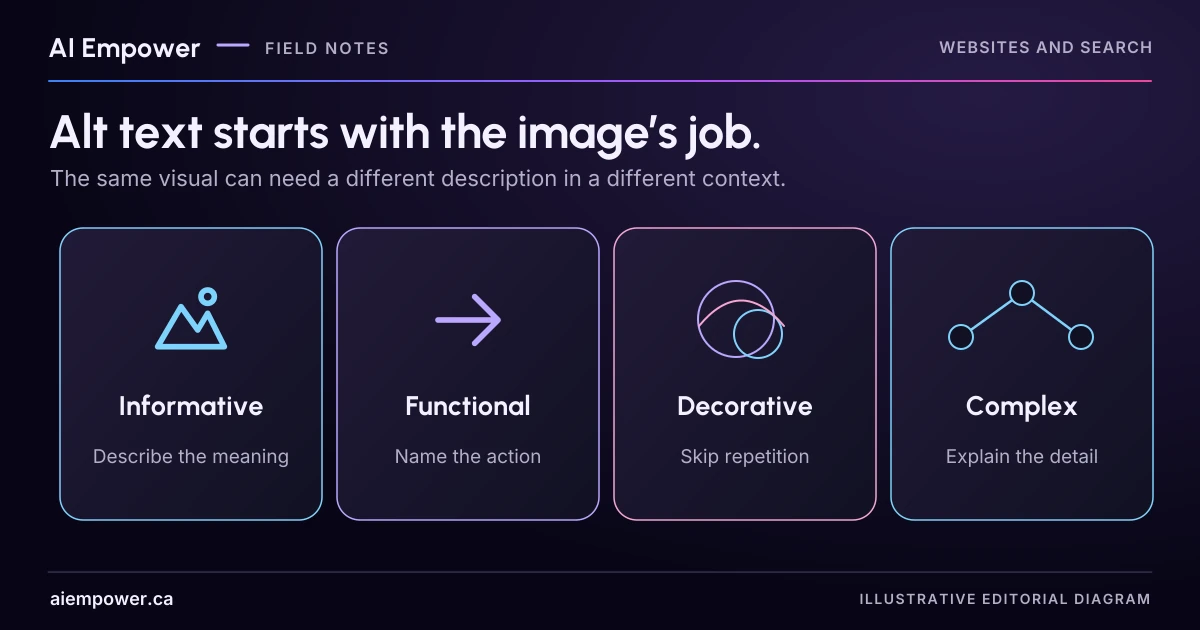
Choose an image's text alternative from its purpose and context, including when decoration needs no announcement or a chart needs a fuller explanation.
The same photograph can need different alt text on two pages. A photograph of a folding display might show a product feature on one page and simply add atmosphere beside a complete description on another. Start with the image’s job in that location.
The four exercises below use written image descriptions, so you can make the decision without waiting for new artwork. They are fictional business examples. For each, write what a reader needs from the image, propose the text alternative, then compare your reasoning with the review notes. This is a practical review, not an automated accessibility grade.
First decide what would be lost
Temporarily imagine the image is unavailable. What information or action disappears? Would the nearby text already supply it? If the image is the only content in a link or button, what does that control do?
The W3C WAI Images Tutorial distinguishes images by purpose, including informative, decorative, functional and complex images. Its alt decision tree helps choose an approach from the actual context. The examples below apply those distinctions to invented pages.
Example one: the feature a customer is comparing
Page context: A service page explains portable exhibition displays. The paragraph says the company can print and prepare a tabletop display. It does not describe how the display folds.
Image: An open three-panel tabletop display beside the same display folded flat. The central panel remains between the two side panels. No dimensions appear.
Your task: Write one sentence that preserves the comparison. Avoid adding weight, material, dimensions or ease-of-use claims that the image does not establish.
One possible answer: “Three-panel tabletop display shown open and folded flat with the side panels closed over the centre.”
The useful detail is the folding arrangement. Describing the studio background or calling the product “innovative” would not help with that comparison. If the page already explained the same arrangement clearly, review whether repeating all of it in alt text adds anything. If exact dimensions matter, publish verified dimensions as page text rather than asking readers to estimate them from a picture.
Example two: the image that performs an action
Page context: An icon-only control opens a printable preparation checklist. There is no visible or programmatic text label elsewhere on that control.
Image: A simple printer symbol.
Your task: Describe what activating the control will do.
One possible answer: “Open the printable preparation checklist.”
“Grey printer with paper” describes the picture but leaves the action uncertain. A visible label can make the control easier to understand for more people. If the control is redesigned with the text “Open printable checklist,” the icon may become redundant and should not cause the name to be announced twice. Have the implementer check the resulting accessible name, rather than stacking labels in several places and hoping they agree.
Example three: decoration beside complete information
Page context: A heading and paragraph explain that enquiries are reviewed during the business’s stated opening hours. The text carries the whole message.
Image: A soft blue abstract wave with no text, link or information about those hours.
Your task: Decide whether the image needs a spoken description.
Suggested treatment: If it is an HTML image used purely for decoration, use an empty alt attribute. If it is appropriately implemented as a decorative CSS background, it does not need an HTML alt attribute.
Do not substitute the words “decorative image” or describe the wave just because the file exists. That would add a reading stop without adding information. Also avoid simply omitting the alt attribute from an HTML image; the intended empty alternative should be explicit. Reassess the decision if the wave later becomes a linked control or contains important text.
Example four: the chart with a useful comparison
Page context: An article presents fictional enquiry counts by contact route. The chart contains eight form enquiries, five email enquiries and three telephone enquiries in an invented demonstration week.
Your task: Provide a short identifier and make the full information available in text.
One possible short alternative: “Fictional enquiry counts by contact route; values follow in the table.”
Then include a properly structured table or equivalent text: Form 8; email 5; telephone 3; total 16. Label the period and the invented status. An introductory sentence can explain the intended comparison: in this demonstration set, the form has the largest count. That does not establish which route real customers prefer or which performs best.
A long comma-separated list inside an alt attribute is a poor substitute for a readable data explanation. Make the complete values and any important relationships available where people can inspect them at their own pace.
Keep a decision record
Review three images from one page. For each, save the page location, image purpose, nearby text, proposed alternative and any missing information. Add the person who can verify product details or chart values.
Ask a colleague to review the page with those alternatives in context. Check image links and buttons with the implementation team, and include disabled images, zoom, keyboard use and assistive technology in the wider accessibility review. An alt-text worksheet covers one part of that work.
Week 30 · interactive local candidate
Keep the image’s job in its context
Fictional local exercise. This exercise keeps its working inputs in page memory and starts over on reset or reload. It does not automatically submit or save those inputs, call an AI or access accounts. Copies and printouts are outside reset; browser-managed history, extensions and device behaviour are outside this exercise’s control. Use invented examples only; do not enter personal records or credentials. No real transfers or independent verification are performed.
Work through four written image descriptions. Draft alternatives before opening the review notes. A context change resets that card’s proposal because its purpose may have changed.
Review pending. Change inputs, then review the current version. Earlier results are cleared after every edit.
Week 30: Keep the image’s job in its context
Fictional local exercise. This exercise keeps its working inputs in page memory and starts over on reset or reload. It does not automatically submit or save those inputs, call an AI or access accounts. Copies and printouts are outside reset; browser-managed history, extensions and device behaviour are outside this exercise’s control. Use invented examples only; do not enter personal records or credentials. No real transfers or independent verification are performed.
All observations and checks below are fictional or reader-reported; none independently verified.

FIXED FICTIONAL EXERCISE CONTEXT
{
  "cases": [
    {
      "name": "Folding product comparison",
      "image": "An open three-panel tabletop display beside the same display folded flat. The side panels close over the centre. No dimensions are shown.",
      "context": "The paragraph describes printing and preparing a tabletop display but does not explain its folding arrangement.",
      "changed": "The adjacent paragraph now fully explains the same folding arrangement. The image is unlinked and adds no new information.",
      "purpose": "informative",
      "answer": "Three-panel tabletop display shown open and folded flat with the side panels closed over the centre.",
      "risk": "Do not invent weight, material, dimensions or ease-of-use claims."
    },
    {
      "name": "Printer icon action",
      "image": "A simple printer symbol.",
      "context": "An icon-only control opens a printable preparation checklist; no other control label exists.",
      "changed": "The same control now has the visible text Open printable checklist. Its icon is redundant.",
      "purpose": "functional",
      "answer": "Open the printable preparation checklist.",
      "risk": "Describe the action rather than the icon. The implementer must verify the final accessible name without duplicate labels."
    },
    {
      "name": "Blue decorative wave",
      "image": "A soft blue abstract wave with no text.",
      "context": "A heading and paragraph give the complete opening-hours message. The wave is not linked.",
      "changed": "The wave is now the only content in a link that opens the opening-hours page. No other name is supplied.",
      "purpose": "decorative",
      "answer": "Explicit empty alt attribute for a decorative HTML image; a decorative CSS background has no HTML alt attribute.",
      "risk": "Empty is deliberate; omitting the alt attribute is a different implementation."
    },
    {
      "name": "Fictional contact-route chart",
      "image": "A chart shows 8 form enquiries, 5 email enquiries and 3 telephone enquiries in an invented demonstration week.",
      "context": "The chart conveys counts that are not supplied elsewhere on the page.",
      "changed": "An adjacent structured table and comparison sentence now supply every chart value and relationship. The chart is unlinked and purely redundant.",
      "purpose": "complex",
      "answer": "Fictional enquiry counts by contact route; values follow in the table.",
      "risk": "A count comparison in this invented week does not establish customer preference or route performance."
    }
  ],
  "chartData": "Fictional demonstration week: Form 8; email 5; telephone 3; total 16. Form has the largest count; no real preference or performance is established.",
  "contextRule": "Use each input row’s changed flag to choose that case’s original or alternate context."
}

CURRENT INPUTS (fictional / reader-entered)
[
  {
    "changed": false,
    "purpose": "undecided",
    "alternative": "",
    "detail": "",
    "reason": "",
    "owner": ""
  },
  {
    "changed": false,
    "purpose": "undecided",
    "alternative": "",
    "detail": "",
    "reason": "",
    "owner": ""
  },
  {
    "changed": false,
    "purpose": "undecided",
    "alternative": "",
    "detail": "",
    "reason": "",
    "owner": ""
  },
  {
    "changed": false,
    "purpose": "undecided",
    "alternative": "",
    "detail": "",
    "reason": "",
    "owner": ""
  }
]

Review pending. No current result; any earlier review was invalidated by input changes.

LIMITATIONS AND WARNINGS
• Free-text alternatives and detail are not semantically graded or certified. Compare them with the supplied context and obtain human review.
• Changing a context clears that card’s old proposal; any edit invalidates this review.
• This is a written-image exercise. No images, actual accessible names, browser or assistive technology are tested.
Use the text-only exercise
The complete unchanged manuscript remains readable if the controls are unavailable.
Return to Keep a decision recordPrimary sources checked 4 October 2026
Sources & review
Primary sources checked on . The checklists and planning examples are AI-assisted editorial guidance, not source quotations or reported client results.
This AI-assisted guide uses fictional examples for practice. It does not report client results or establish that a live system will behave the same way.
Originally published: .